

RoomGPT Review:
Is It Worth It in 2026?
RoomGPT is best suited for homeowners and casual users who want a quick, free way to visualize how a room could look in a different style — uploading a photo and generating redesigned versions in seconds without any design software learning curve.
Best For
Our Overall Rating
Based on comprehensive testing
Best For
- Homeowners exploring style inspiration for a room before starting a redesign project
- Casual users wanting a quick, free visual of how a different style might look in their space
- Real estate agents needing fast, low-cost style inspiration for a listing conversation
- Design enthusiasts experimenting with AI-generated style transformations
Pricing
See current pricing on the RoomGPT website.
Bottom Line
RoomGPT is best suited for homeowners and casual users who want a quick, free way to visualize how a room could look in a different style — uploading a photo and generating redesigned versions in seconds without any design software learning curve.
Visit RoomGPT →Quick Verdict
RoomGPT scores 8.0/10 in our testing and is a strong choice for Homeowners exploring style inspiration for a room before starting a redesign project and Casual users wanting a quick, free visual of how a different style might look in their space.
What Is RoomGPT?
Overview
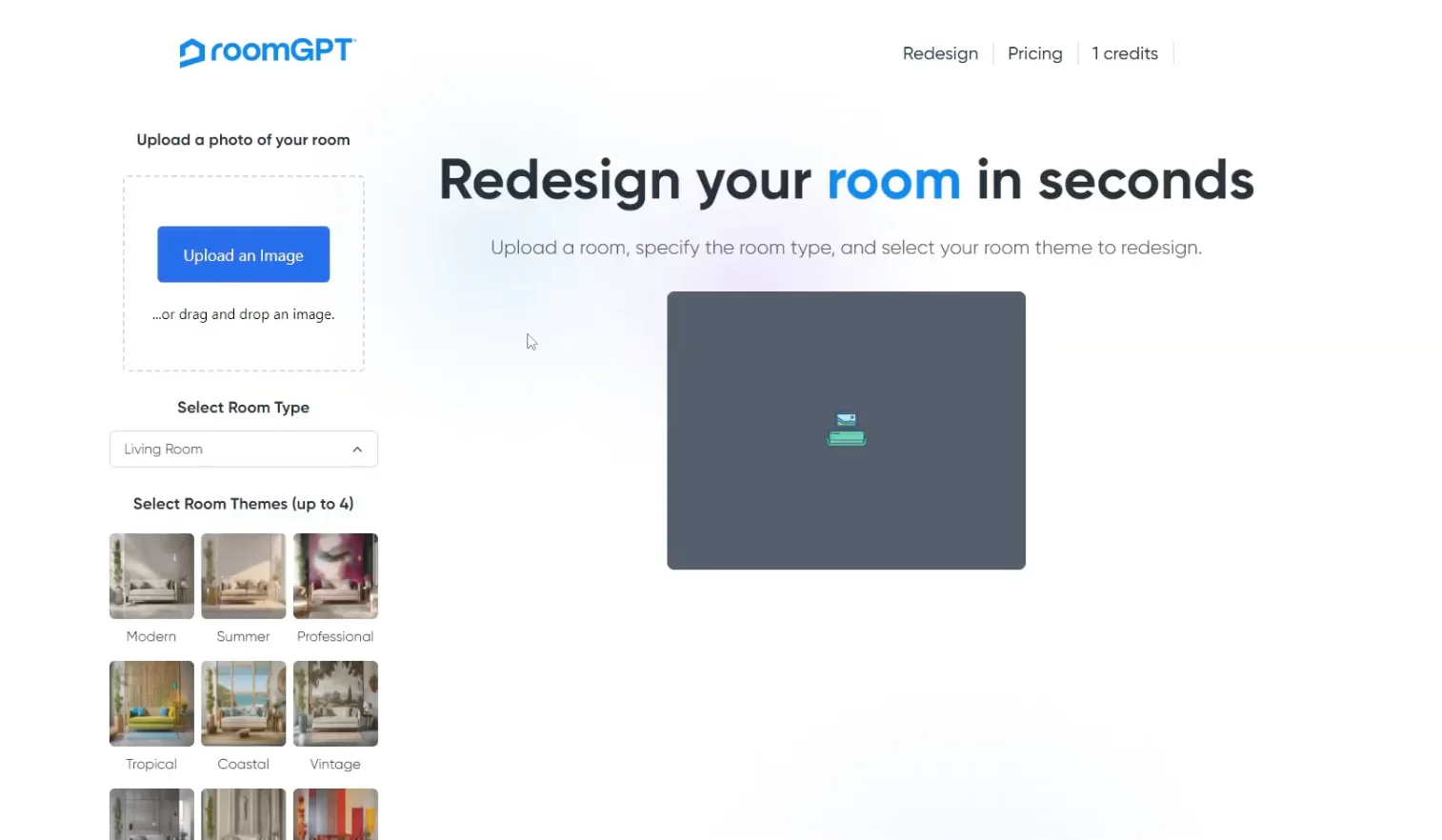
RoomGPT is a free AI tool that redesigns a room photo into different interior styles — upload a picture of any room, select a style like modern, Scandinavian, or industrial, and the AI generates a redesigned version of the same space in seconds. Built on open-source AI image generation models, RoomGPT became one of the most widely used entry points into AI interior design due to its zero cost and minimal friction.
For homeowners and casual users who want quick style inspiration without committing to a paid design tool or professional consultation, RoomGPT offers an accessible first step — even if the output is more inspirational than actionable.
This review evaluates RoomGPT based on its redesign quality, ease of use, and practical fit for casual interior design exploration in 2026.
Key Features
Single-Photo Style Transfer
RoomGPT's core feature takes one uploaded room photo and applies a selected interior design style, generating a redesigned version that maintains the room's basic structure while transforming the furniture, color palette, and decor to match the chosen aesthetic.
Multiple Style Options
Users can select from a range of interior design styles — modern, minimalist, professional, Scandinavian, industrial, and more — generating different visual interpretations of the same room for comparison.
Free and Accessible
RoomGPT's free tier makes it accessible to any user without a financial commitment, lowering the barrier to experimenting with AI-generated interior design inspiration compared to paid tools requiring subscriptions.
Fast Generation
Redesigns generate in under a minute, making it practical to try multiple styles on the same room quickly to compare options before deciding on a direction.
Pros & Cons
Pros
- ✅ Free to use with simple upload-and-generate workflow requiring no design experience
- ✅ Generates room redesigns in multiple styles from a single photo in under a minute
- ✅ Open-source origins mean the underlying technology is transparent and widely replicated
- ✅ Useful as quick inspiration before committing to a more detailed design or renovation plan
Cons
- ❌ Generated redesigns are loose style inspiration, not accurate or buildable design plans
- ❌ No control over specific furniture, materials, or layout — purely AI-interpreted style transfer
- ❌ Output quality and consistency varies more than paid, purpose-built design tools
- ❌ Limited features compared to dedicated interior design or virtual staging platforms
Who Is It Best For?
RoomGPT is the right tool if you:
- Want free, quick style inspiration before committing time or money to a redesign project
- Are exploring design directions casually rather than executing a specific renovation plan
- Need a fast visual reference for a conversation with a designer, contractor, or real estate client
- Don't need precise control over furniture selection or material specification
RoomGPT is not the right tool if you:
- Need accurate, buildable design plans with specific product and material selections
- Want professional-quality output for client presentations or marketing materials
- Require consistent, reliable output quality for business use cases
Alternatives to Consider
- Collov AI — more refined AI redesign with better style consistency and additional design features
- REimagineHome — similar free-to-low-cost room redesign with real estate-specific staging features
- Homestyler — full floor plan and furniture placement tool for more control than style transfer alone
- Planner 5D — more comprehensive interior design platform for users ready to move beyond inspiration
- Interior AI — comparable AI redesign tool with additional style and customization options
Final Verdict
RoomGPT serves its purpose well as a free, frictionless entry point into AI-generated interior design inspiration. For casual users exploring what a different style might look like in their space, it delivers quick, no-cost visual ideas without requiring any commitment or learning curve.
It's not a tool for professional or commercial use where output quality and control matter — the redesigns are loose interpretations rather than actionable design plans. But as a starting point for personal exploration before moving to a more capable tool, RoomGPT does exactly what it promises.
Our recommendation: Use RoomGPT for free initial style exploration, then move to a more capable tool like Collov AI or Foyr Neo once you've identified a style direction and need more control over the actual design execution. Our guide to the best AI tools for interior design shows where fast restyle tools fit in a full design workflow.
Key Features
Free to use with simple upload-and-generate workflow requiring no design experience
Generates room redesigns in multiple styles from a single photo in under a minute
Open-source origins mean the underlying technology is transparent and widely replicated
Useful as quick inspiration before committing to a more detailed design or renovation plan
Best For
Homeowners exploring style inspiration for a room before starting a redesign project
Casual users wanting a quick, free visual of how a different style might look in their space
Real estate agents needing fast, low-cost style inspiration for a listing conversation
Design enthusiasts experimenting with AI-generated style transformations
Pros & Cons
What We Like
- Free to use with simple upload-and-generate workflow requiring no design experience
- Generates room redesigns in multiple styles from a single photo in under a minute
- Open-source origins mean the underlying technology is transparent and widely replicated
- Useful as quick inspiration before committing to a more detailed design or renovation plan
What We Don't Like
- Generated redesigns are loose style inspiration, not accurate or buildable design plans
- No control over specific furniture, materials, or layout — purely AI-interpreted style transfer
- Output quality and consistency varies more than paid, purpose-built design tools
- Limited features compared to dedicated interior design or virtual staging platforms
Top RoomGPT Alternatives
View all alternatives →


RoomGPT vs Top Alternatives
| Tool | Best For | Price | AI Quality | Features | Support | Ease of Use | Rating | |
|---|---|---|---|---|---|---|---|---|
 | Homeowners exploring style inspiration for a room before starting a redesign project | Contact for pricing | 8/10 | Current | ||||
 | Furniture | Contact for pricing | 7.5/10 | Read Review → | ||||
 | Furniture | Contact for pricing | 7.2/10 | Read Review → | ||||
 | Furniture | Contact for pricing | 7/10 | Read Review → | ||||
 | Furniture | Contact for pricing | 7/10 | Read Review → |
Our RoomGPT Verdict
RoomGPT is best suited for homeowners and casual users who want a quick, free way to visualize how a room could look in a different style — uploading a photo and generating redesigned versions in seconds without any design software learning curve.
Visit website for full details
FAQ
Related Articles
View all articles →Best AI Tools for Interior Design in 2026
Our editorial guide to the AI tools we recommend, including RoomGPT.
Read Guide →RoomGPT vs Top Alternatives: Full Comparison
Side-by-side breakdown of RoomGPT and its main competitors.
View Comparisons →Hands-on Guides & Workflows
Step-by-step playbooks for getting the most out of tools like RoomGPT.
Browse Guides →Head-to-Head Comparisons
Looking for Alternatives?
5 Best RoomGPT AlternativesCompare →Related Tools in Interior Design
See all the best Interior Design →
Chaos Corona
Chaos Corona is best suited for architectural visualization studios and interior designers using 3ds Max or Cinema 4D who need a physically accurate, production-grade renderer that produces photorealistic stills and animations with a relatively accessible learning curve.
Read Review →
Chaos Enscape
Chaos Enscape is best suited for architects and interior designers using Revit, SketchUp, Rhino, or ArchiCAD who want real-time rendering and VR visualization directly inside their design software — enabling instant visual feedback and client walkthroughs without a separate rendering pipeline.
Read Review →
Adobe Firefly
Adobe Firefly is best suited for creative professionals already working inside the Adobe ecosystem who need commercially safe generative AI for images, text effects, and vector graphics — especially those integrating AI into Photoshop and Illustrator workflows.
Read Review →
Canva AI
Canva AI is best suited for marketing teams, real estate agents, interior designers, and furniture brands who need to produce professional-quality visual content — social media posts, presentations, flyers, and mood boards — without professional design skills.
Read Review →