

Canva AI Review:
Is It Worth It in 2026?
Canva AI is best suited for marketing teams, real estate agents, interior designers, and furniture brands who need to produce professional-quality visual content — social media posts, presentations, flyers, and mood boards — without professional design skills.
Best For
Our Overall Rating
Based on comprehensive testing
Best For
- Real estate agents creating property marketing materials, flyers, and social posts
- Interior designers building client mood boards and concept presentations
- Furniture brands producing social media content and product marketing at scale
- Small architecture firms needing professional marketing materials without a design team
Pricing
See current pricing on the Canva AI website.
Bottom Line
Canva AI is best suited for marketing teams, real estate agents, interior designers, and furniture brands who need to produce professional-quality visual content — social media posts, presentations, flyers, and mood boards — without professional design skills.
Visit Canva AI →Quick Verdict
Canva AI scores 9.2/10 in our testing and is an excellent choice for Real estate agents creating property marketing materials, flyers, and social posts and Interior designers building client mood boards and concept presentations.
What Is Canva AI?
Overview
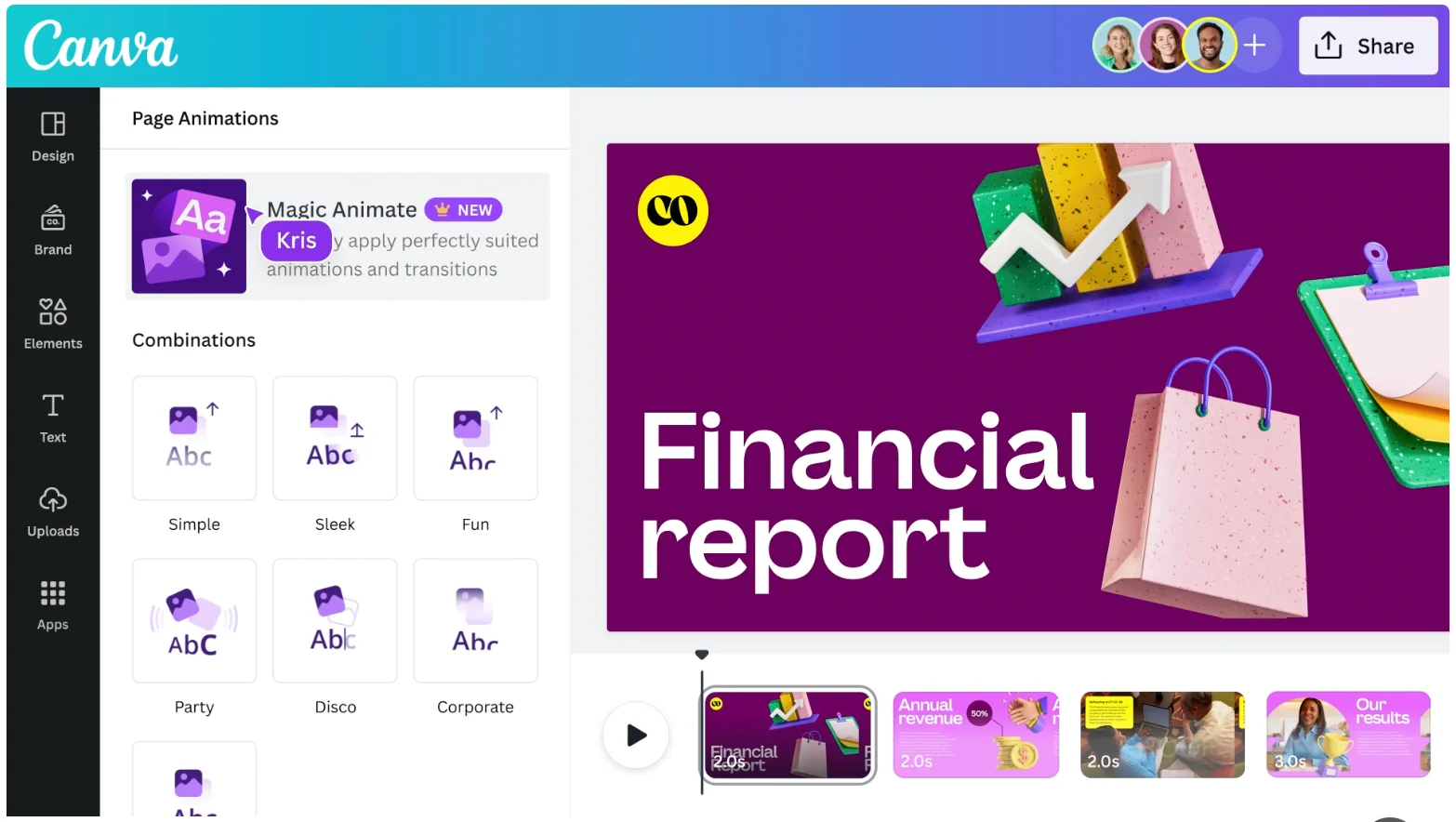
Canva AI is Canva's suite of artificial intelligence features built into its browser-based graphic design platform. What began as a template-based design tool has evolved into an AI-augmented creative platform with image generation (Dream Lab), text writing assistance (Magic Write), background removal, object erasing, image expansion, and presentation generation — all accessible from within the existing Canva interface.
For design and real estate professionals without dedicated graphic design resources, Canva AI lowers the barrier to professional-quality visual content production significantly. The combination of template-based design and AI augmentation means producing social media posts, pitch decks, flyers, and mood boards is faster than ever without requiring design expertise.
This review evaluates Canva AI based on its AI feature set, design capabilities, and practical fit for professionals in interior design, real estate, and furniture in 2026.
Key Features
Dream Lab AI Image Generation
Canva's Dream Lab generates images from text prompts directly within the design canvas. Rather than generating images in a separate tool and importing them, designers can create and place AI images within the same workflow — useful for mood boards, lifestyle imagery, and conceptual visuals.
Magic Write
Magic Write is Canva's AI writing tool, generating captions, presentations outlines, property descriptions, and marketing copy from simple prompts. For real estate agents and furniture brands producing high volumes of written content alongside visuals, this reduces the switching between tools.
Magic Edit Tools
Canva AI includes Background Remover for automatic product photo editing, Magic Eraser for removing unwanted elements from images, and Magic Expand for extending image backgrounds — standard Photoshop operations made accessible without photo editing expertise.
AI Presentation Generator
Canva can generate complete slide presentations from text prompts, applying templates and populating placeholder content as a starting point. For team presentations, proposals, and pitches, this reduces the time from brief to working first draft.
Pros & Cons
Pros
- ✅ Dream Lab AI generates images directly inside Canva designs without switching tools
- ✅ Magic Write produces copy for presentations, social posts, and marketing materials
- ✅ Massive library of templates covering every use case from social media to pitch decks
- ✅ Background Remover, Magic Eraser, and Magic Expand simplify photo editing without Photoshop
Cons
- ❌ AI image generation quality lags behind dedicated tools like Midjourney or Adobe Firefly
- ❌ Free tier has significant limitations on AI feature usage and premium template access
- ❌ Less suitable for complex print production workflows requiring precise color management
- ❌ Heavy reliance on templates can make outputs look generic without significant customization
Who Is It Best For?
Canva AI is the right tool if you:
- Produce large volumes of marketing and social content and need to do it quickly without design expertise
- Build client mood boards and concept presentations and want image generation alongside layout tools
- Work in real estate, interior design, or furniture where visual marketing is a core business activity
- Don't have a dedicated design team and need one tool that covers most visual content needs
Canva AI is not the right tool if you:
- Need professional print production with precise color profiles and bleed settings
- Require high-end AI image generation quality for premium campaigns
- Want a purpose-built tool for architecture or technical design visualization
Alternatives to Consider
- Adobe Express — Adobe's direct Canva competitor with tighter integration to Creative Cloud and Firefly
- Adobe Firefly — significantly better AI image quality if photorealistic output is the priority
- Beautiful.ai — better for structured business presentations where Smart Slide automation matters
- Gamma — better for modern, web-native presentation formats with stronger AI generation
- Microsoft Designer — strong alternative for Microsoft 365 users with Copilot integration
Final Verdict
Canva AI has made the jump from template design tool to a genuinely AI-augmented creative platform, and the breadth of what it now covers in one interface is impressive. For real estate agents, interior designers, and furniture brands producing visual content at volume, the combination of templates, AI image generation, writing assistance, and photo editing in one tool is hard to beat at its price point.
The AI features are solid enough for most marketing and presentation use cases — but for premium campaigns where image quality is critical, dedicated AI image tools still outperform Dream Lab. The platform's strength is breadth and accessibility, not the deepest performance in any single AI capability.
Our recommendation: Start with Canva AI's free tier to evaluate whether the template and AI feature combination fits your workflow before committing to a paid plan. The paid tier unlocks significantly more AI credits and premium templates — the value difference is substantial for heavy users.
Key Features
Dream Lab AI generates images directly inside Canva designs without switching tools
Magic Write produces copy for presentations, social posts, and marketing materials
Massive library of templates covering every use case from social media to pitch decks
Background Remover, Magic Eraser, and Magic Expand simplify photo editing without Photoshop
Best For
Real estate agents creating property marketing materials, flyers, and social posts
Interior designers building client mood boards and concept presentations
Furniture brands producing social media content and product marketing at scale
Small architecture firms needing professional marketing materials without a design team
Pros & Cons
What We Like
- Dream Lab AI generates images directly inside Canva designs without switching tools
- Magic Write produces copy for presentations, social posts, and marketing materials
- Massive library of templates covering every use case from social media to pitch decks
- Background Remover, Magic Eraser, and Magic Expand simplify photo editing without Photoshop
What We Don't Like
- AI image generation quality lags behind dedicated tools like Midjourney or Adobe Firefly
- Free tier has significant limitations on AI feature usage and premium template access
- Less suitable for complex print production workflows requiring precise color management
- Heavy reliance on templates can make outputs look generic without significant customization
Top Canva AI Alternatives
View all alternatives →Adobe Express
Alternative to Canva AI

Adobe Firefly
Alternative to Canva AI
Read Review →
Beautiful.ai
Alternative to Canva AI
Read Review →
Gamma
Alternative to Canva AI
Read Review →Microsoft Designer
Alternative to Canva AI
Canva AI vs Top Alternatives
| Tool | Best For | Price | AI Quality | Features | Support | Ease of Use | Rating | |
|---|---|---|---|---|---|---|---|---|
 | Real estate agents creating property marketing materials, flyers, and social posts | Contact for pricing | 9.2/10 | Current | ||||
AE Adobe Express | Design | Contact for pricing | 8.7/10 | — | ||||
 | Design | Contact for pricing | 8.4/10 | Read Review → | ||||
 | Design | Contact for pricing | 8.1/10 | Read Review → | ||||
 | Design | Contact for pricing | 7.8/10 | Read Review → |
Our Canva AI Verdict
Canva AI is best suited for marketing teams, real estate agents, interior designers, and furniture brands who need to produce professional-quality visual content — social media posts, presentations, flyers, and mood boards — without professional design skills.
Visit website for full details
FAQ
Related Articles
View all articles →Best AI Tools for Interior Design in 2026
Our editorial guide to the AI tools we recommend, including Canva AI.
Read Guide →Canva AI vs Top Alternatives: Full Comparison
Side-by-side breakdown of Canva AI and its main competitors.
View Comparisons →Hands-on Guides & Workflows
Step-by-step playbooks for getting the most out of tools like Canva AI.
Browse Guides →Related Tools in Interior Design
See all the best Interior Design →
Chaos V-Ray
Chaos V-Ray is best suited for professional architectural visualization studios and production rendering teams who need the most widely adopted, broadly compatible production renderer — supporting more host applications than any competitor and trusted across film, games, and architecture for decades.
Read Review →
Lumion
Lumion is best suited for architects and design teams who need to produce fast, attractive architectural renderings and animations — including exterior scenes with landscape, context, and people — directly from their CAD or BIM models without becoming rendering specialists.
Read Review →
Twinmotion
Twinmotion is best suited for architects, students, and design firms who want high-quality real-time rendering powered by Unreal Engine — at no cost for qualifying users — with strong visual quality and a growing AI-assisted feature set for faster scene creation.
Read Review →
Foyr Neo
Foyr Neo is best suited for interior designers and furniture retailers who want a single browser-based platform to build floor plans, place furniture, and generate photorealistic renders without expensive hardware or a steep learning curve.
Read Review →