

Beautiful.ai Review:
Is It Worth It in 2026?
Beautiful.ai is best suited for design professionals and real estate teams who need to produce polished client presentations quickly, without a dedicated graphic designer, by letting AI handle layout and formatting decisions automatically.
Best For
Our Overall Rating
Based on comprehensive testing
Best For
- Real estate agents creating property presentation decks for client pitches
- Interior designers presenting concept proposals and mood boards to clients
- Architecture firms pitching project proposals and design concepts
- Furniture brands building product presentation decks for B2B buyers
Pricing
See current pricing on the Beautiful.ai website.
Bottom Line
Beautiful.ai is best suited for design professionals and real estate teams who need to produce polished client presentations quickly, without a dedicated graphic designer, by letting AI handle layout and formatting decisions automatically.
Visit Beautiful.ai →Quick Verdict
Beautiful.ai scores 8.6/10 in our testing and is a strong choice for Real estate agents creating property presentation decks for client pitches and Interior designers presenting concept proposals and mood boards to clients.
What Is Beautiful.ai?
Overview
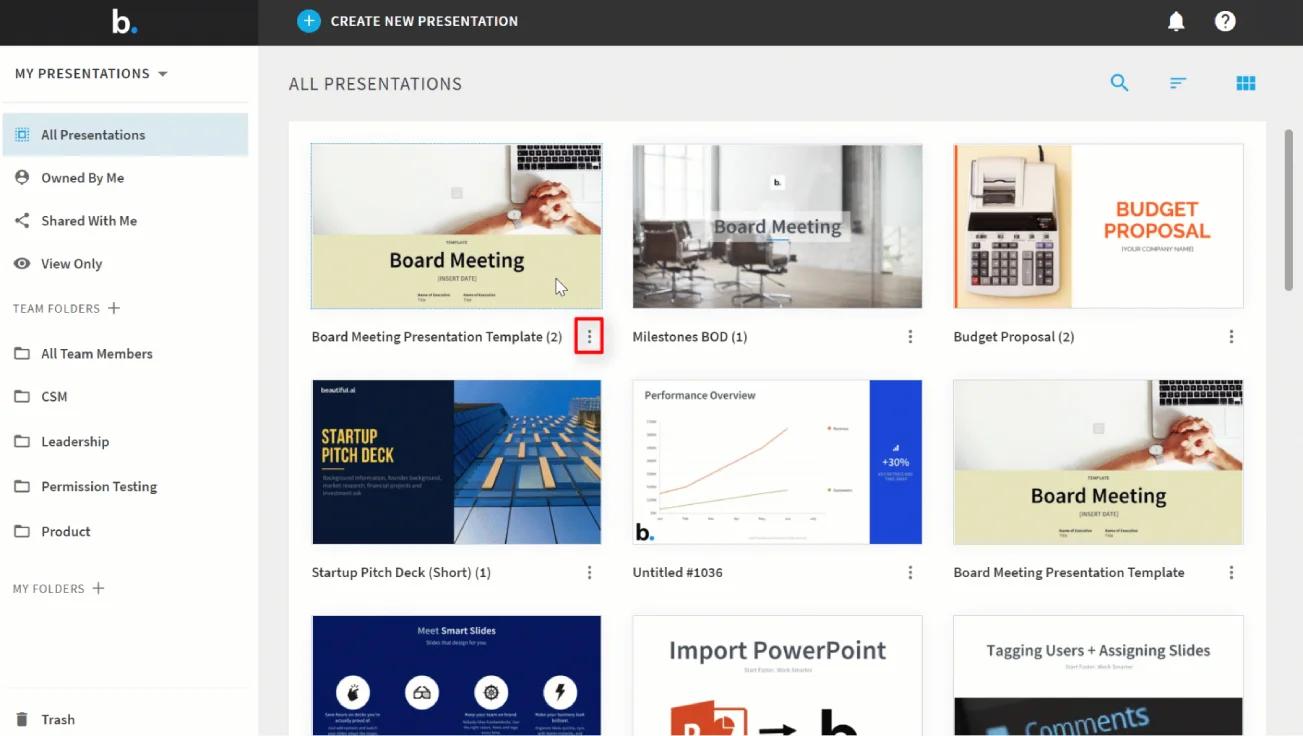
Beautiful.ai is an AI-powered presentation platform built around what it calls "Smart Slides" — slide layouts that automatically reformat and rebalance as content is added or changed. Rather than manually adjusting spacing, font sizes, and element positions after each edit, Beautiful.ai handles the layout logic, keeping slides visually consistent without designer intervention.
For design professionals and real estate teams who regularly present to clients, this means spending less time on formatting and more time on the content and narrative. The platform also includes an AI outline and content generation feature, reducing the time from blank canvas to working first draft.
This review evaluates Beautiful.ai based on its presentation quality, AI capabilities, and practical fit for design industry professionals in 2026.
Key Features
Smart Slide Layout Automation
Beautiful.ai's core differentiator is that its slides automatically adjust layout as you add, remove, or edit content. Adding a fourth bullet point, swapping an image, or changing a heading doesn't require manual reformatting — the slide adapts while maintaining visual structure.
AI Presentation Generation
Beyond layout, Beautiful.ai can generate a complete presentation structure from a text prompt — producing an outline, slide-by-slide content, and design choices from a brief description of the topic and goal. This draft-generation feature reduces the time to a working presentation skeleton.
Professional Template Library
The platform includes a large library of presentation templates suited to client pitches, project proposals, business reviews, and sales decks. Templates are designed to professional standards without requiring design skills to use effectively.
Real-Time Team Collaboration
Multiple team members can work on the same presentation simultaneously, with changes reflected in real time — useful for architecture firms and interior design teams where presentations are built collaboratively before client delivery.
Pros & Cons
Pros
- ✅ Smart Slide technology automatically adjusts layout as content is added or changed
- ✅ Large library of professionally designed templates tailored to business presentations
- ✅ AI generates complete presentation outlines and slide content from text prompts
- ✅ Real-time collaboration features allow teams to work on presentations simultaneously
Cons
- ❌ Less creative flexibility than PowerPoint or Keynote for custom design needs
- ❌ AI-generated content requires review and editing before use in professional presentations
- ❌ Limited offline access — primarily a cloud-based tool requiring internet connection
- ❌ Templates lean toward business and sales contexts rather than design portfolio aesthetics
Who Is It Best For?
Beautiful.ai is the right tool if you:
- Create client-facing presentations regularly and want to reduce formatting time
- Work in a team and need collaborative presentation building without version conflict headaches
- Don't have a dedicated graphic designer but need professional-quality presentation output
- Present proposals, concepts, or property listings where polished visuals support the pitch
Beautiful.ai is not the right tool if you:
- Need highly customized, brand-specific designs that go beyond template constraints
- Require complex interactive elements, animations, or embedded 3D content
- Want a tool focused on visual portfolio presentation rather than structured business decks
Alternatives to Consider
- Gamma — stronger AI generation capabilities with a more modern, web-native presentation format
- Canva — more creative design freedom and better for visual portfolio aesthetics
- PowerPoint with Copilot — better if you need maximum slide design flexibility with AI assistance
- Tome — narrative-first presentation format, better for storytelling-focused presentations
- Pitch — stronger real-time collaboration and analytics for sales decks
Final Verdict
Beautiful.ai earns its value for design and real estate professionals who need to produce clean, professional client presentations consistently without spending significant time on formatting and layout. The Smart Slide system genuinely reduces the manual work of keeping slides visually consistent as content evolves.
It's not the right tool when maximum design control or highly customized brand aesthetics are required — the template system trades flexibility for consistency. But for team-built client presentations where speed and polish matter more than pixel-level design control, Beautiful.ai is a practical choice.
Our recommendation: Test Beautiful.ai on your next client proposal presentation and compare the time spent versus your current tool. The formatting automation value is clearest on presentations that go through multiple content revisions before delivery.
Key Features
Smart Slide technology automatically adjusts layout as content is added or changed
Large library of professionally designed templates tailored to business presentations
AI generates complete presentation outlines and slide content from text prompts
Real-time collaboration features allow teams to work on presentations simultaneously
Best For
Real estate agents creating property presentation decks for client pitches
Interior designers presenting concept proposals and mood boards to clients
Architecture firms pitching project proposals and design concepts
Furniture brands building product presentation decks for B2B buyers
Pros & Cons
What We Like
- Smart Slide technology automatically adjusts layout as content is added or changed
- Large library of professionally designed templates tailored to business presentations
- AI generates complete presentation outlines and slide content from text prompts
- Real-time collaboration features allow teams to work on presentations simultaneously
What We Don't Like
- Less creative flexibility than PowerPoint or Keynote for custom design needs
- AI-generated content requires review and editing before use in professional presentations
- Limited offline access — primarily a cloud-based tool requiring internet connection
- Templates lean toward business and sales contexts rather than design portfolio aesthetics
Top Beautiful.ai Alternatives
View all alternatives →
Gamma
Alternative to Beautiful.ai
Read Review →
Canva
Alternative to Beautiful.ai
Read Review →PowerPoint with Copilot
Alternative to Beautiful.ai
Tome
Alternative to Beautiful.ai
Pitch
Alternative to Beautiful.ai
Beautiful.ai vs Top Alternatives
| Tool | Best For | Price | AI Quality | Features | Support | Ease of Use | Rating | |
|---|---|---|---|---|---|---|---|---|
 | Real estate agents creating property presentation decks for client pitches | Contact for pricing | 8.6/10 | Current | ||||
 | Design | Contact for pricing | 8.1/10 | Read Review → | ||||
 | Design | Contact for pricing | 7.8/10 | Read Review → | ||||
PW PowerPoint with Copilot | Design | Contact for pricing | 7.5/10 | — | ||||
T Tome | Design | Contact for pricing | 7.2/10 | — |
Our Beautiful.ai Verdict
Beautiful.ai is best suited for design professionals and real estate teams who need to produce polished client presentations quickly, without a dedicated graphic designer, by letting AI handle layout and formatting decisions automatically.
Visit website for full details
FAQ
Related Articles
View all articles →Best AI Productivity Tools for Professionals in 2026
Discover the top AI tools we recommend in AI Productivity Tools.
View Hub →Beautiful.ai vs Top Alternatives: Full Comparison
Side-by-side breakdown of Beautiful.ai and its main competitors.
View Comparisons →Hands-on Guides & Workflows
Step-by-step playbooks for getting the most out of tools like Beautiful.ai.
Browse Guides →Related Tools in AI Productivity Tools
See all the best AI Productivity Tools →
Dorik
Dorik is best suited for real estate agents, designers, and small businesses who want to build a professional website quickly using AI — generating a complete site from a text prompt, then customizing it with no-code tools without hiring a web developer.
Read Review →
Doxel
Doxel is best suited for general contractors and owners on large commercial construction projects who need automated, data-driven progress tracking and quality control — replacing manual site walks with AI analysis of 3D scan data captured by autonomous robots.
Read Review →
Expandi
Expandi is best suited for B2B professionals in commercial real estate, construction, and architecture who want to automate LinkedIn outreach safely — running personalized connection and messaging campaigns to build networks and generate leads without manually sending every message.
Read Review →
Frase
Frase is best suited for real estate blogs, design publications, and content marketers who want to research, write, and optimize SEO content that ranks — analyzing top-ranking pages for any keyword and generating optimized content briefs and drafts based on what search engines reward.
Read Review →