

Gamma Review:
Is It Worth It in 2026?
Gamma is best suited for professionals who need to create polished, web-native presentations, proposals, and documents quickly using AI — especially those who find traditional slide tools slow and want a more modern, interactive output format.
Best For
Our Overall Rating
Based on comprehensive testing
Best For
- Real estate developers creating interactive project overview documents for investors
- Interior designers sharing concept proposals and mood boards as web-native documents
- Architecture firms sending design briefs and project presentations via shareable links
- Furniture brands building interactive product catalogues and pitch decks for B2B buyers
Pricing
See current pricing on the Gamma website.
Bottom Line
Gamma is best suited for professionals who need to create polished, web-native presentations, proposals, and documents quickly using AI — especially those who find traditional slide tools slow and want a more modern, interactive output format.
Visit Gamma →Quick Verdict
Gamma scores 8.8/10 in our testing and is a strong choice for Real estate developers creating interactive project overview documents for investors and Interior designers sharing concept proposals and mood boards as web-native documents.
What Is Gamma?
Overview
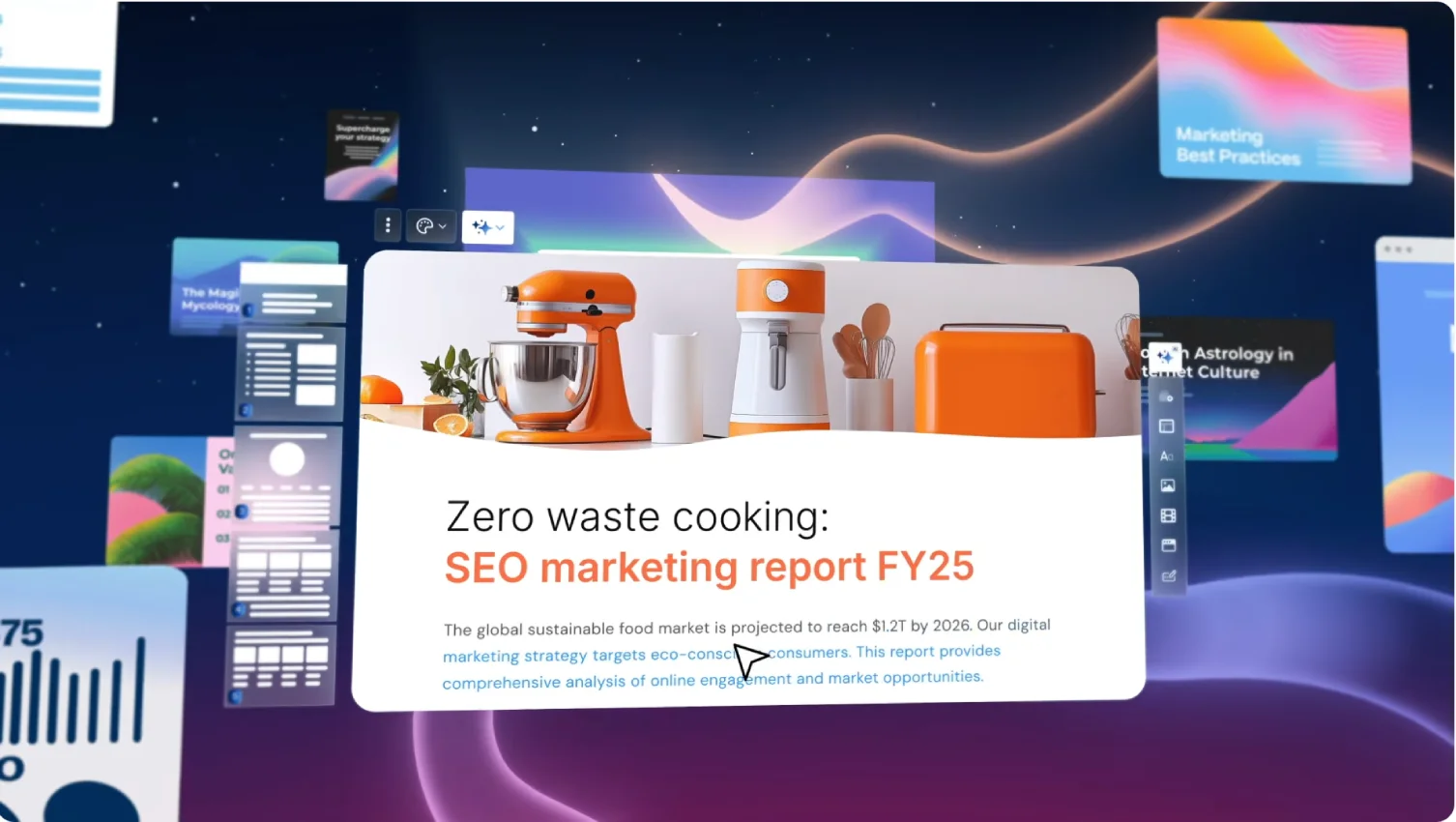
Gamma is an AI-powered presentation and document platform that generates complete, designed presentations from text prompts and outlines in seconds. Unlike traditional slide tools that treat each slide as a blank canvas, Gamma applies design intelligence automatically — handling typography, visual hierarchy, layout, and color — so users focus on content rather than formatting.
Its outputs are web-native documents that live at a shareable URL rather than as PowerPoint files. This means presentations can embed video, GIFs, interactive polls, and web content that static slides cannot, and recipients view them in a browser without needing specific software installed.
This review evaluates Gamma based on its AI generation quality, presentation format, and practical fit for real estate, design, and architecture professionals in 2026.
Key Features
AI Presentation Generation
Gamma generates a complete, designed presentation from a topic description, text paste, or outline. The AI selects appropriate layouts, suggests relevant imagery, writes structured content, and applies typography — producing a working first draft in under a minute. Users can then edit, replace, and refine rather than building from scratch.
Web-Native Interactive Format
Gamma presentations exist as shareable web documents rather than file downloads. This means they can embed live web content, videos, interactive elements, and media that static slide formats cannot — and they're always accessible from the original share link without version management.
Smart Layouts and Cards
Gamma uses a card-based layout system where content automatically adjusts to fit available space. Unlike fixed-position slide elements, Gamma layouts respond to content changes without manual reformatting — reducing the maintenance burden as presentations are revised.
Analytics on Shared Presentations
When a Gamma presentation is shared, creators can see view analytics — who opened it, how far they scrolled, and which sections received the most engagement. For real estate and sales presentations, this engagement data is useful context for follow-up conversations.
Pros & Cons
Pros
- ✅ AI generates a complete, designed presentation from a text prompt or outline in seconds
- ✅ Web-native format creates interactive presentations that work better than PDFs when shared online
- ✅ Smart templates automatically handle layout, typography, and visual hierarchy
- ✅ Embeds video, GIFs, web content, and interactive elements that static slides cannot
Cons
- ❌ Less suitable for highly customized, brand-specific presentation design
- ❌ Web-native format is less familiar for stakeholders who expect PowerPoint-style deliverables
- ❌ Offline access is limited — primarily a cloud-based, browser-hosted tool
- ❌ Advanced AI generation may produce content that needs significant fact-checking before use
Who Is It Best For?
Gamma is the right tool if you:
- Create presentations frequently and want AI to handle first-draft generation and formatting
- Share presentations digitally rather than projecting them in a meeting room where a URL-based format works better
- Want interactive content — embedded video, polls, or web links — in your presentations
- Prefer a modern document format over traditional slide files for client proposals and briefs
Gamma is not the right tool if you:
- Need highly customized brand presentation templates matching strict corporate identity guidelines
- Present in environments where a traditional slide format is expected or required
- Need to export to PowerPoint or PDF as a primary delivery format
Alternatives to Consider
- Beautiful.ai — better for structured business presentations where Smart Slide formatting matters
- Canva — more visual design flexibility and better for branded marketing materials
- Tome — similar narrative-first web presentation format with strong visual storytelling
- PowerPoint with Copilot — better when clients expect traditional slide format with maximum design control
- Notion AI — better for document-style deliverables rather than visual presentations
Final Verdict
Gamma represents the most accessible AI presentation generation available in 2026 — from blank to complete, designed presentation in under a minute is a genuine operational advantage for professionals who create presentations regularly. The web-native format adds interaction capabilities that static slides cannot match.
Its constraints are format expectations and customization ceiling. Where a client or stakeholder expects a PowerPoint file or a highly branded slide deck, Gamma's web format creates friction. But for professionals sharing proposals, project overviews, and concept presentations digitally — where a polished, interactive web document is as good or better — Gamma is a compelling choice.
Our recommendation: Use Gamma for externally shared proposals and documents where a web link is the delivery method. For formal presentations projected in meeting rooms or submitted as required slide files, keep a traditional tool alongside it.
Key Features
AI generates a complete, designed presentation from a text prompt or outline in seconds
Web-native format creates interactive presentations that work better than PDFs when shared online
Smart templates automatically handle layout, typography, and visual hierarchy
Embeds video, GIFs, web content, and interactive elements that static slides cannot
Best For
Real estate developers creating interactive project overview documents for investors
Interior designers sharing concept proposals and mood boards as web-native documents
Architecture firms sending design briefs and project presentations via shareable links
Furniture brands building interactive product catalogues and pitch decks for B2B buyers
Pros & Cons
What We Like
- AI generates a complete, designed presentation from a text prompt or outline in seconds
- Web-native format creates interactive presentations that work better than PDFs when shared online
- Smart templates automatically handle layout, typography, and visual hierarchy
- Embeds video, GIFs, web content, and interactive elements that static slides cannot
What We Don't Like
- Less suitable for highly customized, brand-specific presentation design
- Web-native format is less familiar for stakeholders who expect PowerPoint-style deliverables
- Offline access is limited — primarily a cloud-based, browser-hosted tool
- Advanced AI generation may produce content that needs significant fact-checking before use
Top Gamma Alternatives
View all alternatives →
Beautiful.ai
Alternative to Gamma
Read Review →
Canva
Alternative to Gamma
Read Review →PowerPoint with Copilot
Alternative to Gamma
Tome
Alternative to Gamma

Notion AI
Alternative to Gamma
Read Review →Gamma vs Top Alternatives
| Tool | Best For | Price | AI Quality | Features | Support | Ease of Use | Rating | |
|---|---|---|---|---|---|---|---|---|
 | Real estate developers creating interactive project overview documents for investors | Contact for pricing | 8.8/10 | Current | ||||
 | Design | Contact for pricing | 8.3/10 | Read Review → | ||||
 | Design | Contact for pricing | 8/10 | Read Review → | ||||
PW PowerPoint with Copilot | Design | Contact for pricing | 7.7/10 | — | ||||
T Tome | Design | Contact for pricing | 7.4/10 | — |
Our Gamma Verdict
Gamma is best suited for professionals who need to create polished, web-native presentations, proposals, and documents quickly using AI — especially those who find traditional slide tools slow and want a more modern, interactive output format.
Visit website for full details
FAQ
Related Articles
View all articles →Best AI Productivity Tools for Professionals in 2026
Discover the top AI tools we recommend in AI Productivity Tools.
View Hub →Gamma vs Top Alternatives: Full Comparison
Side-by-side breakdown of Gamma and its main competitors.
View Comparisons →Hands-on Guides & Workflows
Step-by-step playbooks for getting the most out of tools like Gamma.
Browse Guides →Related Tools in AI Productivity Tools
See all the best AI Productivity Tools →
Julius.ai
Julius.ai is best suited for real estate analysts, construction project managers, and design business owners who want to analyze data without writing code — uploading spreadsheets and asking questions in plain English to get charts, insights, and analysis from an AI data analyst.
Read Review →
Kit
Kit (formerly ConvertKit) is best suited for real estate agents, designers, and design businesses building an audience through email — offering creator-friendly newsletters, automation, landing pages, and subscriber management to nurture leads and clients over time.
Read Review →
Microsoft Copilot
Microsoft Copilot is best suited for architecture, construction, and real estate firms already standardized on Microsoft 365 who want AI assistance built directly into Word, Excel, Outlook, and Teams.
Read Review →
Nifty
Nifty is best suited for architecture, construction, and design firms that want project tracking, team chat, and client-facing roadmaps in one connected workspace instead of juggling a separate task tool, chat app, and document system.
Read Review →