

Chaos V-Ray Review:
Is It Worth It in 2026?
Chaos V-Ray is best suited for professional architectural visualization studios and production rendering teams who need the most widely adopted, broadly compatible production renderer — supporting more host applications than any competitor and trusted across film, games, and architecture for decades.
Best For
Our Overall Rating
Based on comprehensive testing
Best For
- Architectural visualization studios needing maximum host application flexibility across a team
- Visualization artists producing the highest-quality production renders for marketing and competitions
- Studios working across multiple 3D applications who need one consistent renderer across all of them
- Furniture and product visualization teams requiring precise material and lighting control
Pricing
See current pricing on the Chaos V-Ray website.
Bottom Line
Chaos V-Ray is best suited for professional architectural visualization studios and production rendering teams who need the most widely adopted, broadly compatible production renderer — supporting more host applications than any competitor and trusted across film, games, and architecture for decades.
Visit Chaos V-Ray →Quick Verdict
Chaos V-Ray scores 9.2/10 in our testing and is an excellent choice for Architectural visualization studios needing maximum host application flexibility across a team and Visualization artists producing the highest-quality production renders for marketing and competitions.
What Is Chaos V-Ray?
Overview
Chaos V-Ray is the most widely adopted production renderer in architectural visualization, with a presence stretching from film and game development to architecture, interior design, and product visualization. Unlike Corona, which is limited to 3ds Max and Cinema 4D, V-Ray supports an exceptionally broad range of host applications — 3ds Max, SketchUp, Rhino, Revit, Maya, Cinema 4D, Houdini, and more — making it the default choice for studios that work across multiple 3D applications or need consistent rendering technology team-wide.
V-Ray's reputation is built on decades of production use and continuous development, giving it deep material and lighting control that visualization specialists rely on for the most demanding, highest-stakes projects — major developments, hero marketing shots, and architectural competition renders.
This review evaluates Chaos V-Ray based on its render quality, application compatibility, and practical fit for professional architectural visualization in 2026.
Key Features
Broadest Application Support
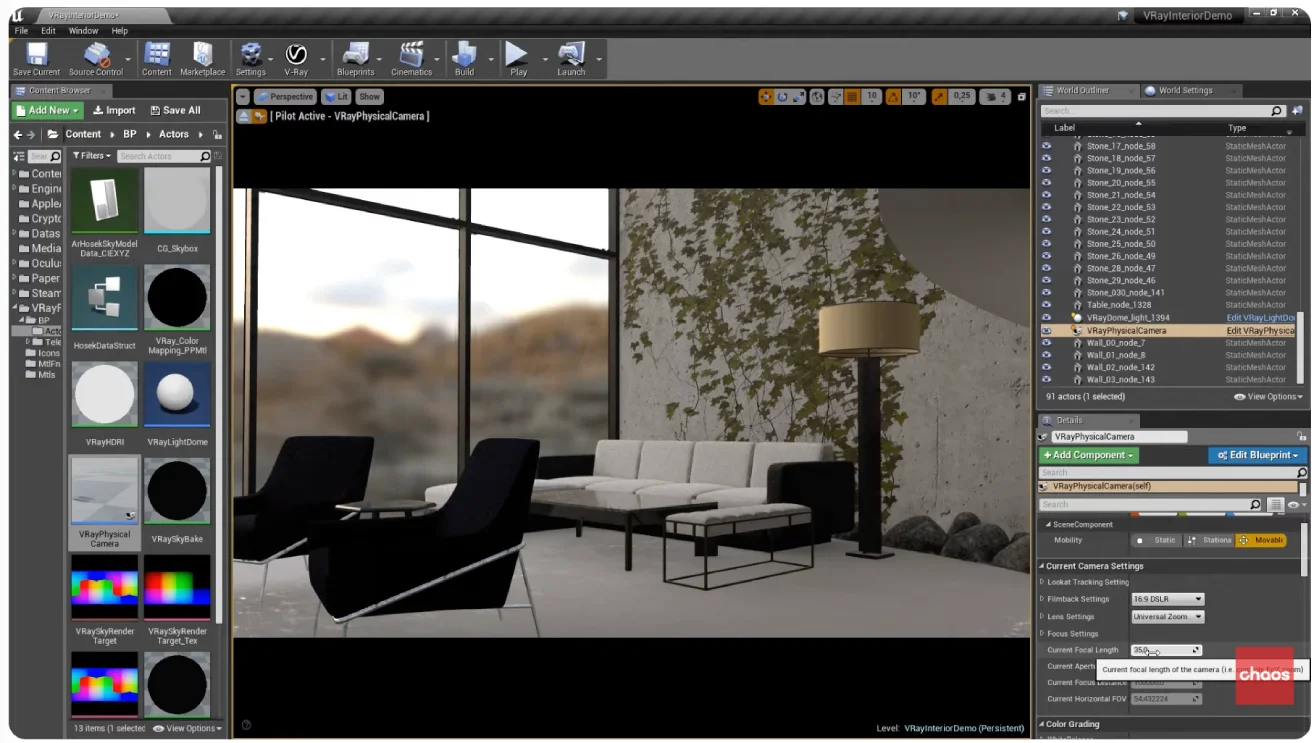
V-Ray's defining advantage is its compatibility with the widest range of 3D applications of any production renderer — 3ds Max, SketchUp, Rhino, Revit, Maya, Cinema 4D, Houdini, Blender, and Unreal Engine. For studios using multiple modeling tools, V-Ray provides one consistent rendering engine and material library across the entire pipeline.
Hybrid CPU and GPU Rendering
V-Ray supports both CPU and GPU rendering modes (V-Ray GPU), giving studios flexibility to use existing hardware investments or scale rendering performance with GPU acceleration depending on project needs and budget.
Deep Material and Lighting Control
V-Ray offers extensive control over materials, lighting, and camera effects, supporting the highly specific creative direction needed for top-tier production visualization — the kind of control that separates good architectural renders from exceptional ones used in major marketing campaigns and award-winning visualization work.
Production-Proven Reliability
With over two decades of continuous development and use across film, games, and architecture, V-Ray's reliability in production pipelines is well established, making it a lower-risk choice for studios with mission-critical rendering deadlines.
Pros & Cons
Pros
- ✅ Supports the broadest range of host applications, including 3ds Max, SketchUp, Rhino, Revit, and Maya
- ✅ Industry-standard renderer trusted across architecture, VFX, and product visualization for over two decades
- ✅ Hybrid CPU/GPU rendering offers flexibility to balance speed and hardware investment
- ✅ Extensive material and lighting control supports the most demanding production visualization needs
Cons
- ❌ Steeper learning curve than Corona or real-time renderers like Enscape and Lumion
- ❌ Subscription-based licensing requires ongoing cost rather than a one-time purchase
- ❌ Achieving top-tier results requires more rendering expertise than more automated alternatives
- ❌ Not a real-time tool — workflow still requires render time for final quality output
Who Is It Best For?
Chaos V-Ray is the right tool if you:
- Work across multiple 3D applications and want one consistent, reliable renderer across your entire pipeline
- Need maximum material and lighting control for high-stakes, hero marketing imagery or competition entries
- Have a visualization specialist or dedicated rendering team who can leverage V-Ray's full technical depth
- Require production-proven reliability for mission-critical project deadlines
Chaos V-Ray is not the right tool if you:
- Want a gentler learning curve — Corona delivers comparable quality with less technical complexity in 3ds Max/C4D
- Need real-time interactive visualization for client walkthroughs rather than offline production renders
- Work in a single application and don't need V-Ray's broad cross-platform compatibility
Alternatives to Consider
- Chaos Corona — comparable quality with a gentler learning curve, limited to 3ds Max and Cinema 4D
- Lumion — real-time alternative for faster turnaround when production-grade quality isn't required
- Enscape — real-time rendering directly inside Revit, SketchUp, or Rhino for rapid client presentations
- D5 Render — GPU real-time renderer with growing quality and increasing professional adoption
- KeyShot — better suited to product visualization workflows with simpler material setup needs
Final Verdict
Chaos V-Ray's position as the industry-standard renderer is earned through unmatched application compatibility and decades of production-proven reliability. For studios that need one rendering engine to work consistently across SketchUp, Rhino, Revit, and 3ds Max — or that require the deepest possible material and lighting control for the highest-stakes visualization work — V-Ray remains the most capable option available.
The learning curve and technical complexity are real costs, and many studios will find Corona's more accessible workflow delivers comparable results for typical project needs. But for maximum flexibility and production depth, V-Ray is still the benchmark the rest of the industry is measured against.
Our recommendation: If your studio works across multiple 3D applications, V-Ray's universal compatibility alone often justifies the steeper learning curve over Corona. For single-application studios in 3ds Max or Cinema 4D without that cross-platform need, compare directly against Chaos Corona for a more accessible alternative with similar quality ceiling.
Key Features
Supports the broadest range of host applications, including 3ds Max, SketchUp, Rhino, Revit, and Maya
Industry-standard renderer trusted across architecture, VFX, and product visualization for over two decades
Hybrid CPU/GPU rendering offers flexibility to balance speed and hardware investment
Extensive material and lighting control supports the most demanding production visualization needs
Best For
Architectural visualization studios needing maximum host application flexibility across a team
Visualization artists producing the highest-quality production renders for marketing and competitions
Studios working across multiple 3D applications who need one consistent renderer across all of them
Furniture and product visualization teams requiring precise material and lighting control
Pros & Cons
What We Like
- Supports the broadest range of host applications, including 3ds Max, SketchUp, Rhino, Revit, and Maya
- Industry-standard renderer trusted across architecture, VFX, and product visualization for over two decades
- Hybrid CPU/GPU rendering offers flexibility to balance speed and hardware investment
- Extensive material and lighting control supports the most demanding production visualization needs
What We Don't Like
- Steeper learning curve than Corona or real-time renderers like Enscape and Lumion
- Subscription-based licensing requires ongoing cost rather than a one-time purchase
- Achieving top-tier results requires more rendering expertise than more automated alternatives
- Not a real-time tool — workflow still requires render time for final quality output
Top Chaos V-Ray Alternatives
View all alternatives →


Chaos V-Ray vs Top Alternatives
| Tool | Best For | Price | AI Quality | Features | Support | Ease of Use | Rating | |
|---|---|---|---|---|---|---|---|---|
 | Architectural visualization studios needing maximum host application flexibility across a team | Contact for pricing | 9.2/10 | Current | ||||
 | Architecture | Contact for pricing | 8.7/10 | Read Review → | ||||
 | Architecture | Contact for pricing | 8.4/10 | Read Review → | ||||
 | Architecture | Contact for pricing | 8.1/10 | Read Review → | ||||
 | Architecture | Contact for pricing | 7.8/10 | Read Review → |
Our Chaos V-Ray Verdict
Chaos V-Ray is best suited for professional architectural visualization studios and production rendering teams who need the most widely adopted, broadly compatible production renderer — supporting more host applications than any competitor and trusted across film, games, and architecture for decades.
Visit website for full details
FAQ
Related Articles
View all articles →Best AI Tools for Interior Design in 2026
Our editorial guide to the AI tools we recommend, including Chaos V-Ray.
Read Guide →Chaos V-Ray vs Top Alternatives: Full Comparison
Side-by-side breakdown of Chaos V-Ray and its main competitors.
View Comparisons →Hands-on Guides & Workflows
Step-by-step playbooks for getting the most out of tools like Chaos V-Ray.
Browse Guides →Related Tools in Interior Design
See all the best Interior Design →
Lumion
Lumion is best suited for architects and design teams who need to produce fast, attractive architectural renderings and animations — including exterior scenes with landscape, context, and people — directly from their CAD or BIM models without becoming rendering specialists.
Read Review →
Twinmotion
Twinmotion is best suited for architects, students, and design firms who want high-quality real-time rendering powered by Unreal Engine — at no cost for qualifying users — with strong visual quality and a growing AI-assisted feature set for faster scene creation.
Read Review →
Foyr Neo
Foyr Neo is best suited for interior designers and furniture retailers who want a single browser-based platform to build floor plans, place furniture, and generate photorealistic renders without expensive hardware or a steep learning curve.
Read Review →
Photoroom
Photoroom is best suited for furniture retailers and real estate marketers who want to turn a phone photo of a product or space into a clean, sales-ready image in seconds, without a studio setup or manual editing in Photoshop.
Read Review →