

Archicad AI Review:
Is It Worth It in 2026?
Archicad AI is best suited for architecture firms and BIM-driven design teams who want AI-assisted modeling and documentation built directly into a full-featured BIM platform, rather than a separate visualization add-on.
Best For
Our Overall Rating
Based on comprehensive testing
Best For
- Architecture firms running BIM-based design and documentation workflows
- Mid-size to large practices needing consistent documentation across complex projects
- Teams collaborating with structural and MEP consultants via open BIM standards
- Firms wanting to reduce repetitive modeling tasks without leaving their CAD platform
Pricing
See current pricing on the Archicad AI website.
Bottom Line
Archicad AI is best suited for architecture firms and BIM-driven design teams who want AI-assisted modeling and documentation built directly into a full-featured BIM platform, rather than a separate visualization add-on.
Visit Archicad AI →Quick Verdict
Archicad AI scores 9.0/10 in our testing and is an excellent choice for Architecture firms running BIM-based design and documentation workflows and Mid-size to large practices needing consistent documentation across complex projects.
What Is Archicad AI?
Overview
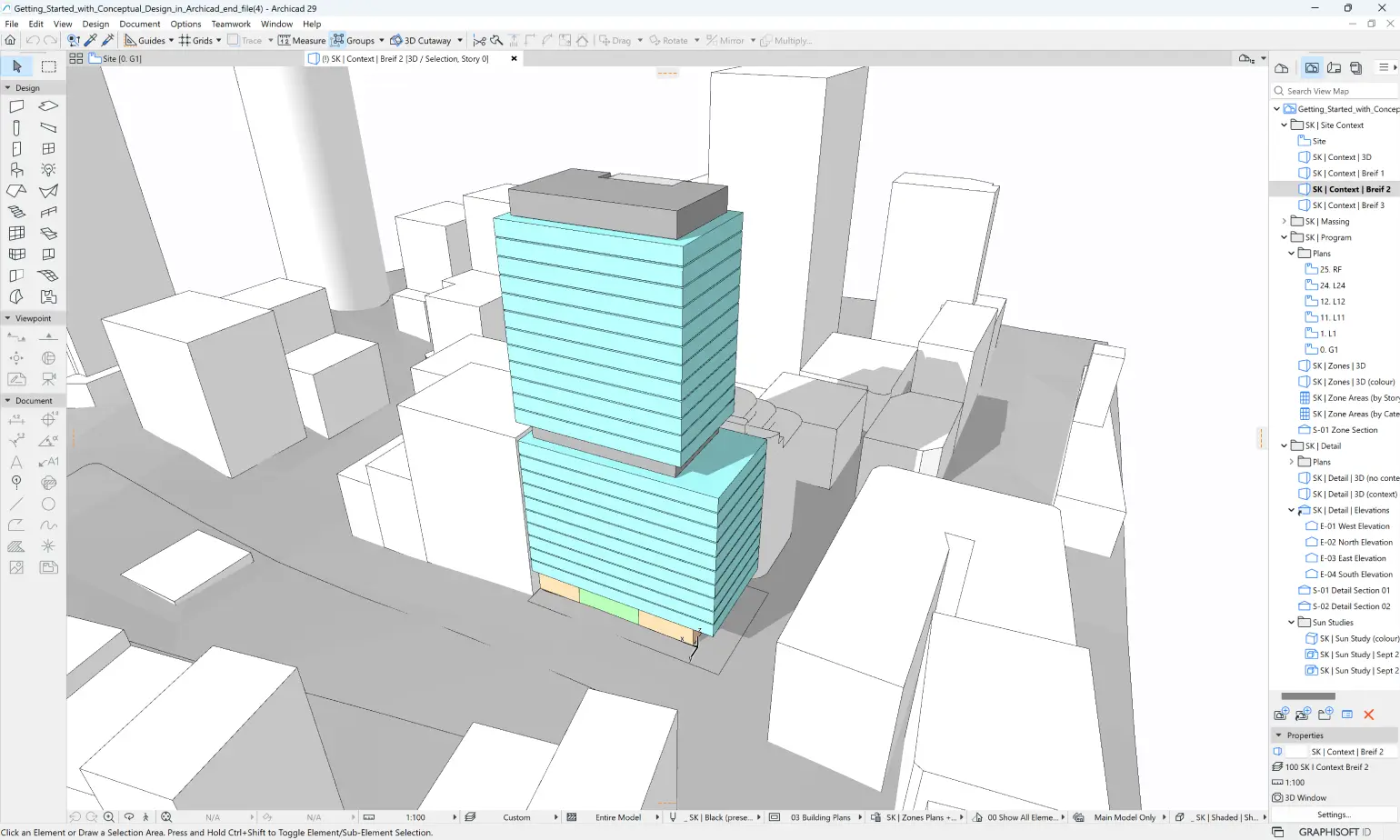
Archicad is Graphisoft's BIM authoring platform, used by architecture firms to model, document, and collaborate on building designs in a single integrated environment. Its AI-assisted features are built into the modeling and documentation workflow itself, helping automate repetitive tasks rather than existing as a bolt-on visualization tool layered over a separate CAD system.
For architecture firms already running BIM-based workflows, this matters because Archicad's AI assistance shows up exactly where the design work happens — inside the model — rather than requiring data to be exported elsewhere for AI processing.
This review evaluates Archicad AI based on its BIM modeling depth, AI-assisted features, and practical fit for professional architectural practice heading into 2026.
Key Features
Integrated BIM Modeling
Archicad combines 3D modeling, 2D documentation, and data management in one platform, so design changes propagate automatically across plans, sections, elevations, and schedules without manual rework.
AI-Assisted Modeling Tasks
Built-in AI features help automate repetitive aspects of modeling and documentation — tasks that would otherwise require manual, time-consuming input — letting architects focus more on design decisions.
Open BIM Interoperability
Archicad supports open BIM standards, allowing collaboration with structural engineers, MEP consultants, and other disciplines working in different software without losing model fidelity in translation.
Mature Documentation Tools
As a long-established BIM platform, Archicad includes deep, mature documentation tools for generating construction drawings, schedules, and specifications directly from the model.
Pros & Cons
Pros
- ✅ Full BIM modeling and documentation in one integrated platform
- ✅ AI features assist with repetitive modeling and documentation tasks
- ✅ Strong interoperability with other BIM tools via open standards
- ✅ Mature platform with a long track record in architectural practice
Cons
- ❌ Steeper learning curve than lightweight visualization or sketch tools
- ❌ Full value requires committing to BIM workflows across a project team
- ❌ Licensing cost is a real factor for small firms or solo practitioners
- ❌ AI assistance supplements modeling work rather than replacing skilled BIM operators
Who Is It Best For?
Archicad AI is the right tool if you:
- Run BIM-based design and documentation workflows across your projects
- Collaborate with structural and MEP consultants using open BIM standards
- Want AI assistance built into your modeling platform rather than a separate tool
- Work on mid-size to large projects where consistent documentation matters most
Archicad AI is not the right tool if you:
- Need a lightweight tool for quick concept sketches rather than full BIM modeling
- Are a very small practice where the licensing cost is hard to justify
- Want a standalone rendering tool rather than a full design and documentation platform
Alternatives to Consider
Archicad AI is strong for integrated BIM modeling with AI assistance, but it is not the only option:
- D5 Render — better as a dedicated real-time rendering layer on top of an existing BIM model
- Veras — focused specifically on AI-powered rendering inside Revit, SketchUp, or Rhino
- Planner 5D — simpler floor plan and interior design tool, less suited to professional BIM documentation
- TestFit — better for early-stage feasibility and site planning before detailed BIM modeling begins
- ArchiVinci — lighter-weight, browser-based rendering rather than full BIM authoring
Final Verdict
Archicad AI earns its place for architecture firms that have already committed to BIM-based workflows and want AI assistance embedded directly into their modeling and documentation process. The combination of mature BIM tooling and open interoperability makes it a solid foundation for multi-discipline collaboration.
For firms not yet working in BIM, or those needing a lighter, faster concept tool, the learning curve and licensing investment may not be justified.
Our recommendation: If your firm already works in BIM, evaluate Archicad's AI-assisted modeling features on a real project to measure the actual time saved on repetitive documentation tasks before expanding usage firm-wide.
Key Features
Full BIM modeling and documentation in one integrated platform
AI features assist with repetitive modeling and documentation tasks
Strong interoperability with other BIM tools via open standards
Mature platform with a long track record in architectural practice
Best For
Architecture firms running BIM-based design and documentation workflows
Mid-size to large practices needing consistent documentation across complex projects
Teams collaborating with structural and MEP consultants via open BIM standards
Firms wanting to reduce repetitive modeling tasks without leaving their CAD platform
Pros & Cons
What We Like
- Full BIM modeling and documentation in one integrated platform
- AI features assist with repetitive modeling and documentation tasks
- Strong interoperability with other BIM tools via open standards
- Mature platform with a long track record in architectural practice
What We Don't Like
- Steeper learning curve than lightweight visualization or sketch tools
- Full value requires committing to BIM workflows across a project team
- Licensing cost is a real factor for small firms or solo practitioners
- AI assistance supplements modeling work rather than replacing skilled BIM operators
Top Archicad AI Alternatives
View all alternatives →


Archicad AI vs Top Alternatives
| Tool | Best For | Price | AI Quality | Features | Support | Ease of Use | Rating | |
|---|---|---|---|---|---|---|---|---|
 | Architecture firms running BIM-based design and documentation workflows | Contact for pricing | 9/10 | Current | ||||
 | Architecture | Contact for pricing | 8.5/10 | Read Review → | ||||
 | Architecture | Contact for pricing | 8.2/10 | Read Review → | ||||
 | Architecture | Contact for pricing | 7.9/10 | Read Review → | ||||
 | Architecture | Contact for pricing | 7.6/10 | Read Review → |
Our Archicad AI Verdict
Archicad AI is best suited for architecture firms and BIM-driven design teams who want AI-assisted modeling and documentation built directly into a full-featured BIM platform, rather than a separate visualization add-on.
Visit website for full details
FAQ
Related Articles
View all articles →Best AI Tools for Architects in 2026
Our editorial guide to the AI tools we recommend, including Archicad AI.
Read Guide →Archicad AI vs Top Alternatives: Full Comparison
Side-by-side breakdown of Archicad AI and its main competitors.
View Comparisons →Hands-on Guides & Workflows
Step-by-step playbooks for getting the most out of tools like Archicad AI.
Browse Guides →Related Tools in Architecture
See all the best Architecture →
Fireflies.ai
Fireflies.ai is best suited for architects, contractors, real estate agents, and design professionals who spend significant time in client meetings and project calls — automatically recording, transcribing, and summarizing meetings so teams can focus on the conversation rather than note-taking.
Read Review →
Vizcom
Vizcom is best suited for designers and architects who sketch by hand or on a tablet and want to turn rough concept drawings into polished, presentation-ready renders in seconds.
Read Review →
ArchiVinci
ArchiVinci is best suited for architects, interior designers, and real estate professionals who want fast, client-ready renders from a sketch, screenshot, or rough 3D model without setting up a full rendering pipeline.
Read Review →
Planner 5D
Planner 5D is an AI-powered floor plan and interior design platform used by 120+ million users worldwide. It converts uploaded images or text prompts into 2D/3D floor plans instantly, with 8,000+ furniture items, 4K rendering, and VR walkthroughs — from a free plan to professional and enterprise white-label tiers.
Read Review →