

PlanGrid Review:
Is It Worth It in 2026?
PlanGrid is a construction document and field collaboration tool that existing users can still rely on, but it is now in maintenance mode under Autodesk, with new customers directed to Autodesk Build instead.
Best For
Our Overall Rating
Based on comprehensive testing
Best For
- Existing PlanGrid users maintaining ongoing projects without an urgent migration need
- Construction teams planning a phased move toward Autodesk Build
- Firms already standardized on PlanGrid wanting continuity through a transition period
- Teams comparing legacy tools against current options before choosing a platform
Pricing
See current pricing on the PlanGrid website.
Bottom Line
PlanGrid is a construction document and field collaboration tool that existing users can still rely on, but it is now in maintenance mode under Autodesk, with new customers directed to Autodesk Build instead.
Visit PlanGrid →Quick Verdict
PlanGrid scores 7.6/10 in our testing and is a solid option for Existing PlanGrid users maintaining ongoing projects without an urgent migration need and Construction teams planning a phased move toward Autodesk Build.
What Is PlanGrid?
Overview
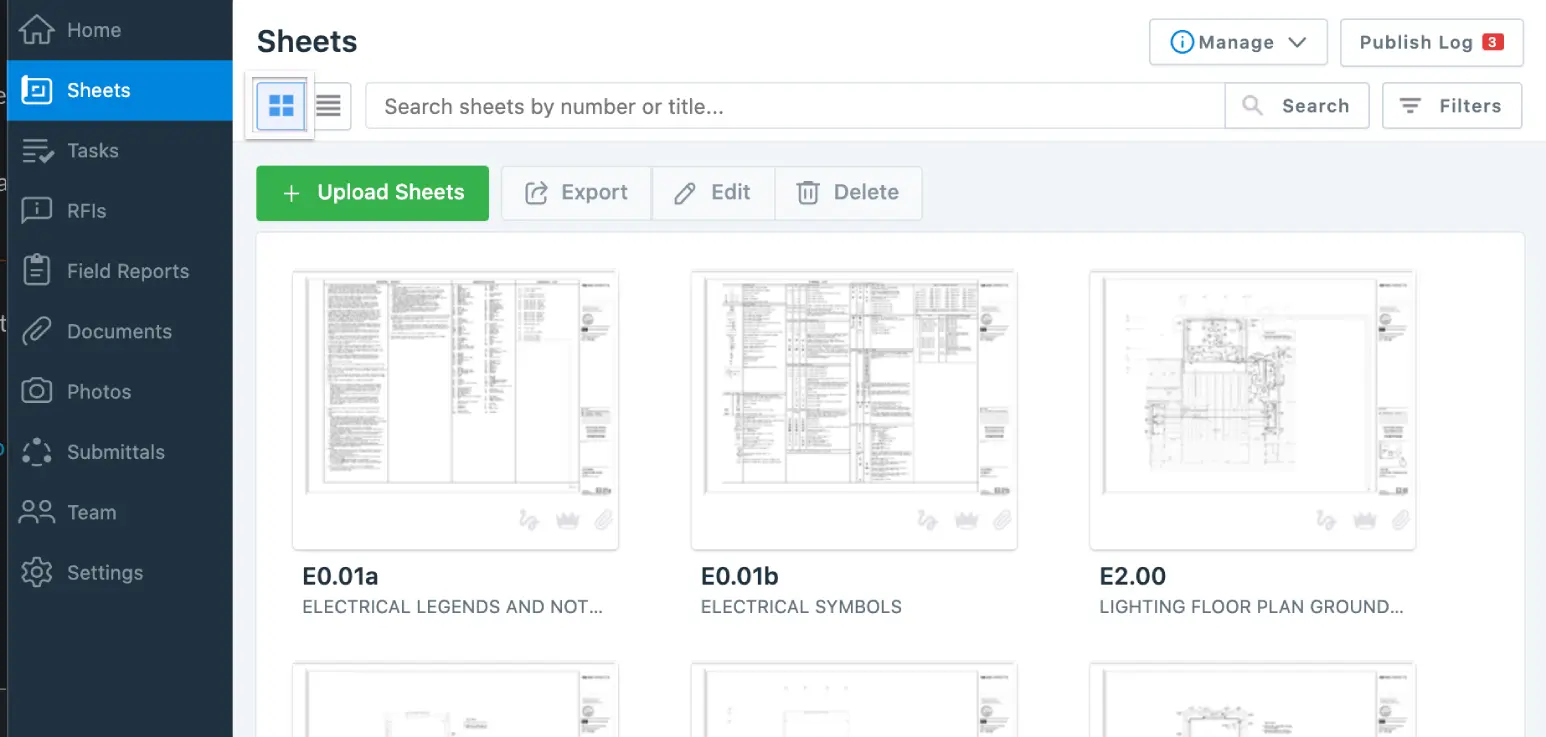
PlanGrid was a widely adopted construction document management and field collaboration tool, letting teams markup drawings, manage RFIs, and coordinate field documentation from a mobile device. Autodesk acquired PlanGrid in 2018 and has since folded most of its core functionality into Autodesk Build, part of the broader Autodesk Construction Cloud.
As of 2026, PlanGrid is no longer available for purchase by new customers and has received no major updates in several years — it remains functional in maintenance mode for existing users, but Autodesk's active development and new features are now concentrated in Autodesk Build instead.
This review evaluates PlanGrid's current state honestly: what existing users can still expect, and why anyone evaluating tools today should be looking at its successor.
Key Features
Drawing Markup & Version Control
PlanGrid's core strength was letting field teams markup drawings on mobile devices and automatically sync changes, with clear version control so everyone was always referencing the current set.
RFI & Field Issue Tracking
The platform supported tracking RFIs and field issues directly tied to specific drawing locations, helping keep documentation organized and traceable back to where problems occurred on site.
Mobile-First Field Access
PlanGrid was built mobile-first, letting superintendents and field staff access drawings and documentation directly from a phone or tablet without needing to return to a site office computer.
Migration Path to Autodesk Build
For existing users, Autodesk provides a structured migration path into Autodesk Build, which incorporates PlanGrid's core capabilities alongside newer document control, scheduling, and cost tracking features.
Pros & Cons
Pros
- ✅ Familiar, proven interface for teams already trained on the platform
- ✅ Reliable core features for drawing markup, RFIs, and field documentation
- ✅ Existing users retain access to keep ongoing projects running smoothly
- ✅ Clear, well-documented migration path into Autodesk Build when ready
Cons
- ❌ No longer available for new customer purchase — only existing users remain
- ❌ Has received no major feature updates in several years
- ❌ Long-term roadmap and active development now live in Autodesk Build instead
- ❌ New teams evaluating tools today should look at the successor product directly
Who Is It Best For?
PlanGrid is the right tool if you:
- Are an existing user with ongoing projects and no immediate need to switch platforms
- Want a stable, familiar interface through a planned, phased migration
- Are actively comparing legacy tools against current options as part of a platform decision
- Need continuity while your team prepares to move to Autodesk Build
PlanGrid is not the right tool if you:
- Are a new customer evaluating construction software today — it's not available for purchase
- Need ongoing feature development and active product investment
- Want the latest AI-driven construction management capabilities, which now live in Autodesk Build and Procore AI
Alternatives to Consider
If you're choosing a platform today rather than maintaining an existing PlanGrid deployment, consider:
- Procore AI — actively developed construction management platform with AI agents for documents and workflows
- Buildots — automated, computer-vision-based progress tracking against the BIM model
- Insightful — relevant if your core need is office productivity tracking rather than field documentation
- Team Pulse — lightweight project visibility for smaller teams
- TestFit — useful earlier in the process for feasibility and site planning, not field documentation
Final Verdict
PlanGrid still functions reliably for existing users with ongoing projects, and there's no urgent reason to disrupt a working workflow mid-project. But it's important to be clear-eyed about its status: Autodesk has shifted active development and new features into Autodesk Build, and PlanGrid itself has not seen meaningful updates in years.
Anyone evaluating construction document management software today — rather than maintaining an existing deployment — should be looking at Autodesk Build or a comparable actively developed platform like Procore AI instead.
Our recommendation: If you're already on PlanGrid, start planning a migration to Autodesk Build on your own timeline rather than waiting for new feature investment that isn't coming to the legacy platform.
Key Features
Familiar, proven interface for teams already trained on the platform
Reliable core features for drawing markup, RFIs, and field documentation
Existing users retain access to keep ongoing projects running smoothly
Clear, well-documented migration path into Autodesk Build when ready
Best For
Existing PlanGrid users maintaining ongoing projects without an urgent migration need
Construction teams planning a phased move toward Autodesk Build
Firms already standardized on PlanGrid wanting continuity through a transition period
Teams comparing legacy tools against current options before choosing a platform
Pros & Cons
What We Like
- Familiar, proven interface for teams already trained on the platform
- Reliable core features for drawing markup, RFIs, and field documentation
- Existing users retain access to keep ongoing projects running smoothly
- Clear, well-documented migration path into Autodesk Build when ready
What We Don't Like
- No longer available for new customer purchase — only existing users remain
- Has received no major feature updates in several years
- Long-term roadmap and active development now live in Autodesk Build instead
- New teams evaluating tools today should look at the successor product directly
Top PlanGrid Alternatives
View all alternatives →


PlanGrid vs Top Alternatives
| Tool | Best For | Price | AI Quality | Features | Support | Ease of Use | Rating | |
|---|---|---|---|---|---|---|---|---|
 | Existing PlanGrid users maintaining ongoing projects without an urgent migration need | Contact for pricing | 7.6/10 | Current | ||||
 | Construction | Contact for pricing | 7.1/10 | Read Review → | ||||
 | Construction | Contact for pricing | 7/10 | Read Review → | ||||
 | Construction | Contact for pricing | 7/10 | Read Review → | ||||
 | Construction | Contact for pricing | 7/10 | Read Review → |
Our PlanGrid Verdict
PlanGrid is a construction document and field collaboration tool that existing users can still rely on, but it is now in maintenance mode under Autodesk, with new customers directed to Autodesk Build instead.
Visit website for full details
FAQ
Related Articles
View all articles →Best AI Productivity Tools for Professionals in 2026
Discover the top AI tools we recommend in AI Productivity Tools.
View Hub →PlanGrid vs Top Alternatives: Full Comparison
Side-by-side breakdown of PlanGrid and its main competitors.
View Comparisons →Hands-on Guides & Workflows
Step-by-step playbooks for getting the most out of tools like PlanGrid.
Browse Guides →Related Tools in AI Productivity Tools
See all the best AI Productivity Tools →
ChatGPT
ChatGPT is OpenAI's general-purpose AI assistant best suited for architecture, construction, and real estate professionals who want one flexible tool for writing, research, image generation, and everyday problem-solving.
Read Review →
Claude
Claude is Anthropic's AI assistant best suited for architecture, construction, and real estate professionals who regularly need to analyze long contracts, specifications, or reports and want careful, well-reasoned written output.
Read Review →
Gemini
Gemini is Google's multimodal AI assistant best suited for professionals already working inside Google Workspace who want AI help with research, writing, and document analysis without leaving their existing tools.
Read Review →
Joiin
Joiin is an AI-powered financial reporting and consolidation platform that connects Xero, QuickBooks, Sage, and spreadsheets to deliver real-time consolidated group accounts, multi-currency reporting, and board-ready packs — starting from $23/month with unlimited users.
Read Review →