

Zapier Review:
Is It Worth It in 2026?
Zapier is best suited for real estate agents, interior designers, and design business owners who need to automate repetitive workflows between their apps — CRM updates, lead notifications, email sequences, and data sync — without writing code or hiring a developer.
Best For
Our Overall Rating
Based on comprehensive testing
Best For
- Real estate agents automating lead capture, CRM updates, and follow-up email sequences
- Interior design firms connecting project management, invoicing, and client communication tools
- Furniture retailers automating order notifications, inventory updates, and customer emails
- Construction companies syncing project data across estimating, scheduling, and accounting apps
Pricing
See current pricing on the Zapier website.
Bottom Line
Zapier is best suited for real estate agents, interior designers, and design business owners who need to automate repetitive workflows between their apps — CRM updates, lead notifications, email sequences, and data sync — without writing code or hiring a developer.
Visit Zapier →Quick Verdict
Zapier scores 9.0/10 in our testing and is an excellent choice for Real estate agents automating lead capture, CRM updates, and follow-up email sequences and Interior design firms connecting project management, invoicing, and client communication tools.
What Is Zapier?
Overview
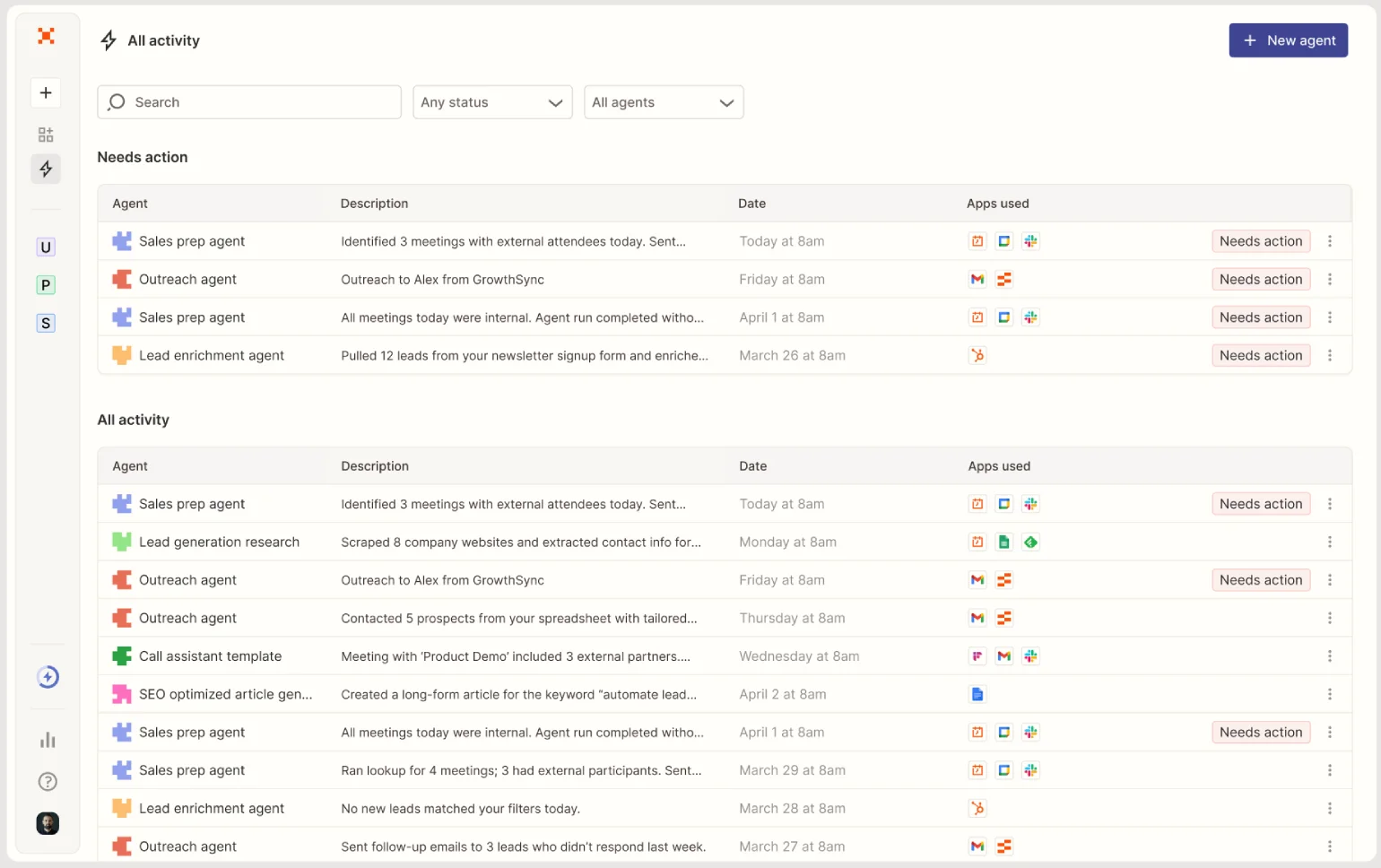
Zapier is the leading no-code automation platform that connects web applications and automates workflows between them — triggering actions in one app when events happen in another, without writing code. Its library of over 6,000 app integrations covers virtually every tool used in real estate, interior design, furniture, and construction businesses, making it the most versatile automation option for small-to-medium design and real estate operations.
In 2026, Zapier has added AI-powered automation capabilities — including natural language Zap creation, AI steps that process content and make decisions within workflows, and AI Agents for more complex multi-step autonomous tasks. These additions extend Zapier beyond simple trigger-action automation into more intelligent workflow orchestration.
This review evaluates Zapier based on its automation capabilities, AI features, and practical fit for real estate, design, and construction businesses in 2026.
Key Features
6,000+ App Integrations
Zapier's integration library covers the full stack of tools used in design and real estate operations — CRMs (HubSpot, Salesforce), project management (Asana, Monday), email marketing (Mailchimp, ActiveCampaign), communication (Slack, Gmail), property platforms (Zillow, Realtor.com), design tools (Canva), and thousands more. If two apps both have Zapier integrations, they can be connected.
AI-Powered Zap Creation
Zapier's AI can build automation workflows from plain language descriptions — a user describes what they want to automate, and Zapier proposes the trigger, actions, and configuration steps. This reduces the barrier to creating automations for users unfamiliar with Zapier's interface.
AI Steps in Workflows
Zapier supports AI steps within automations — processing text, extracting information from unstructured content, classifying leads, drafting email responses, and making conditional decisions — using AI without requiring a separate AI tool subscription or API connection.
Multi-Step Workflows with Conditional Logic
Zapier's Zaps support multi-step workflows with filters, conditions, and branching logic, enabling more complex automation than simple one-to-one triggers. A lead capture automation can qualify the lead, update the CRM, send a personalized email, create a follow-up task, and notify a Slack channel — all in one automated sequence.
Pros & Cons
Pros
- ✅ Connects 6,000+ apps enabling automation between virtually any tools a design business uses
- ✅ AI-powered Zap creation builds automations from plain language descriptions
- ✅ No-code interface makes workflow automation accessible without developer resources
- ✅ Tables, Interfaces, and AI features enable more complex workflow logic beyond simple triggers
Cons
- ❌ Task-based pricing can become expensive for high-volume automation workflows
- ❌ Complex multi-step workflows with conditional logic can be difficult to build and debug
- ❌ AI automation features are still maturing compared to the core no-code Zap builder
- ❌ Not a purpose-built tool for any single industry — requires configuration for each use case
Who Is It Best For?
Zapier is the right tool if you:
- Use multiple disconnected apps in your real estate or design business and want them to work together automatically
- Have repetitive manual tasks — data entry, email follow-ups, lead notifications — that happen the same way every time
- Don't have developer resources and need a no-code solution for business automation
- Want to save time on administrative work so you can focus on client-facing activities
Zapier is not the right tool if you:
- Need highly complex enterprise-grade automation with advanced logic (consider Make or n8n instead)
- Run very high volumes of automated tasks where Zapier's task-based pricing becomes uneconomical
- Want automation built directly into your CRM or project management tool rather than a separate layer
Alternatives to Consider
- Make (Integromat) — more powerful visual automation builder with more affordable pricing at higher task volumes
- n8n — open-source, self-hostable automation with maximum flexibility for technical teams
- Microsoft Power Automate — strong choice for Microsoft 365 ecosystem users
- HubSpot Workflows — better if HubSpot CRM is your primary platform and automation inside the CRM is the goal
- ActiveCampaign — purpose-built for marketing automation with CRM — better than Zapier for email sequence automation
Final Verdict
Zapier remains the most accessible and versatile automation platform for small and medium design and real estate businesses in 2026. Its integration breadth means almost any operational workflow — lead capture, follow-up sequences, project notifications, data sync — can be automated without developer help, and the AI-powered features are making workflow creation faster than ever.
The task-based pricing is a consideration for high-volume use cases, and complex conditional workflows take time to build and test. But for teams spending meaningful hours on repetitive administrative tasks that follow the same pattern every time, Zapier's automation delivers clear time savings.
Our recommendation: Identify your three most repetitive manual tasks — the ones your team does the same way every day — and build Zapier automations for those first. The value of automation is clearest when measured against a specific task's current time cost, not as an abstract platform capability.
Key Features
Connects 6,000+ apps enabling automation between virtually any tools a design business uses
AI-powered Zap creation builds automations from plain language descriptions
No-code interface makes workflow automation accessible without developer resources
Tables, Interfaces, and AI features enable more complex workflow logic beyond simple triggers
Best For
Real estate agents automating lead capture, CRM updates, and follow-up email sequences
Interior design firms connecting project management, invoicing, and client communication tools
Furniture retailers automating order notifications, inventory updates, and customer emails
Construction companies syncing project data across estimating, scheduling, and accounting apps
Pros & Cons
What We Like
- Connects 6,000+ apps enabling automation between virtually any tools a design business uses
- AI-powered Zap creation builds automations from plain language descriptions
- No-code interface makes workflow automation accessible without developer resources
- Tables, Interfaces, and AI features enable more complex workflow logic beyond simple triggers
What We Don't Like
- Task-based pricing can become expensive for high-volume automation workflows
- Complex multi-step workflows with conditional logic can be difficult to build and debug
- AI automation features are still maturing compared to the core no-code Zap builder
- Not a purpose-built tool for any single industry — requires configuration for each use case
Top Zapier Alternatives
View all alternatives →
Make (Integromat)
Alternative to Zapier
Read Review →n8n
Alternative to Zapier
Microsoft Power Automate
Alternative to Zapier
HubSpot Workflows
Alternative to Zapier
ActiveCampaign
Alternative to Zapier
Zapier vs Top Alternatives
| Tool | Best For | Price | AI Quality | Features | Support | Ease of Use | Rating | |
|---|---|---|---|---|---|---|---|---|
 | Real estate agents automating lead capture, CRM updates, and follow-up email sequences | Contact for pricing | 9/10 | Current | ||||
 | Marketing | Contact for pricing | 8.5/10 | Read Review → | ||||
N n8n | Marketing | Contact for pricing | 8.2/10 | — | ||||
MP Microsoft Power Automate | Marketing | Contact for pricing | 7.9/10 | — | ||||
HW HubSpot Workflows | Marketing | Contact for pricing | 7.6/10 | — |
Our Zapier Verdict
Zapier is best suited for real estate agents, interior designers, and design business owners who need to automate repetitive workflows between their apps — CRM updates, lead notifications, email sequences, and data sync — without writing code or hiring a developer.
Visit website for full details
FAQ
Related Articles
View all articles →Best AI Automation Tools for Professionals in 2026
Discover the top AI tools we recommend in AI Automation Tools.
View Hub →Zapier vs Top Alternatives: Full Comparison
Side-by-side breakdown of Zapier and its main competitors.
View Comparisons →Hands-on Guides & Workflows
Step-by-step playbooks for getting the most out of tools like Zapier.
Browse Guides →Related Tools in AI Automation Tools
See all the best AI Automation Tools →
10Web
10Web is best suited for architecture, construction, and real estate businesses that want a fully functional WordPress website generated from a simple prompt, combined with managed hosting, without hiring a developer.
Read Review →
Autonoly
Autonoly is best suited for architecture, construction, and real estate teams who want to automate multi-step digital tasks — web research, data extraction, document processing — by describing the workflow in plain English instead of building it manually.
Read Review →
Bouncer
Bouncer is best suited for real estate agencies, furniture brands, and contractors sending marketing or outreach emails who want to clean their list and avoid bounces, spam traps, and deliverability damage before a campaign goes out.
Read Review →
DataFeedWatch
DataFeedWatch is best suited for furniture and home decor e-commerce brands running product advertising across Google Shopping, Meta, and comparison shopping engines who need to optimize and manage product data feeds at scale without manual feed maintenance.
Read Review →