

FreeOCR.AI Review:
Is It Worth It in 2026?
FreeOCR.AI is best suited for architecture, construction, and real estate businesses that need to pull editable text, tables, or structured data out of scanned plans, invoices, and contracts without retyping everything by hand.
We may earn a commission when you purchase through links on our site. Learn more
Best For
Our Overall Rating
Based on comprehensive testing
Best For
- Architecture and construction firms digitizing scanned plans, specs, and material lists
- Real estate professionals extracting data from scanned contracts and disclosure forms
- Furniture businesses converting printed invoices or supplier catalogs into structured data
- Teams wanting to turn photographed documents into editable text without manual retyping
Pricing
See current pricing on the FreeOCR.AI website.
Bottom Line
FreeOCR.AI is best suited for architecture, construction, and real estate businesses that need to pull editable text, tables, or structured data out of scanned plans, invoices, and contracts without retyping everything by hand.
Visit FreeOCR.AI →Quick Verdict
FreeOCR.AI scores 8.6/10 in our testing and is a strong choice for Architecture and construction firms digitizing scanned plans, specs, and material lists and Real estate professionals extracting data from scanned contracts and disclosure forms.
What Is FreeOCR.AI?
Overview
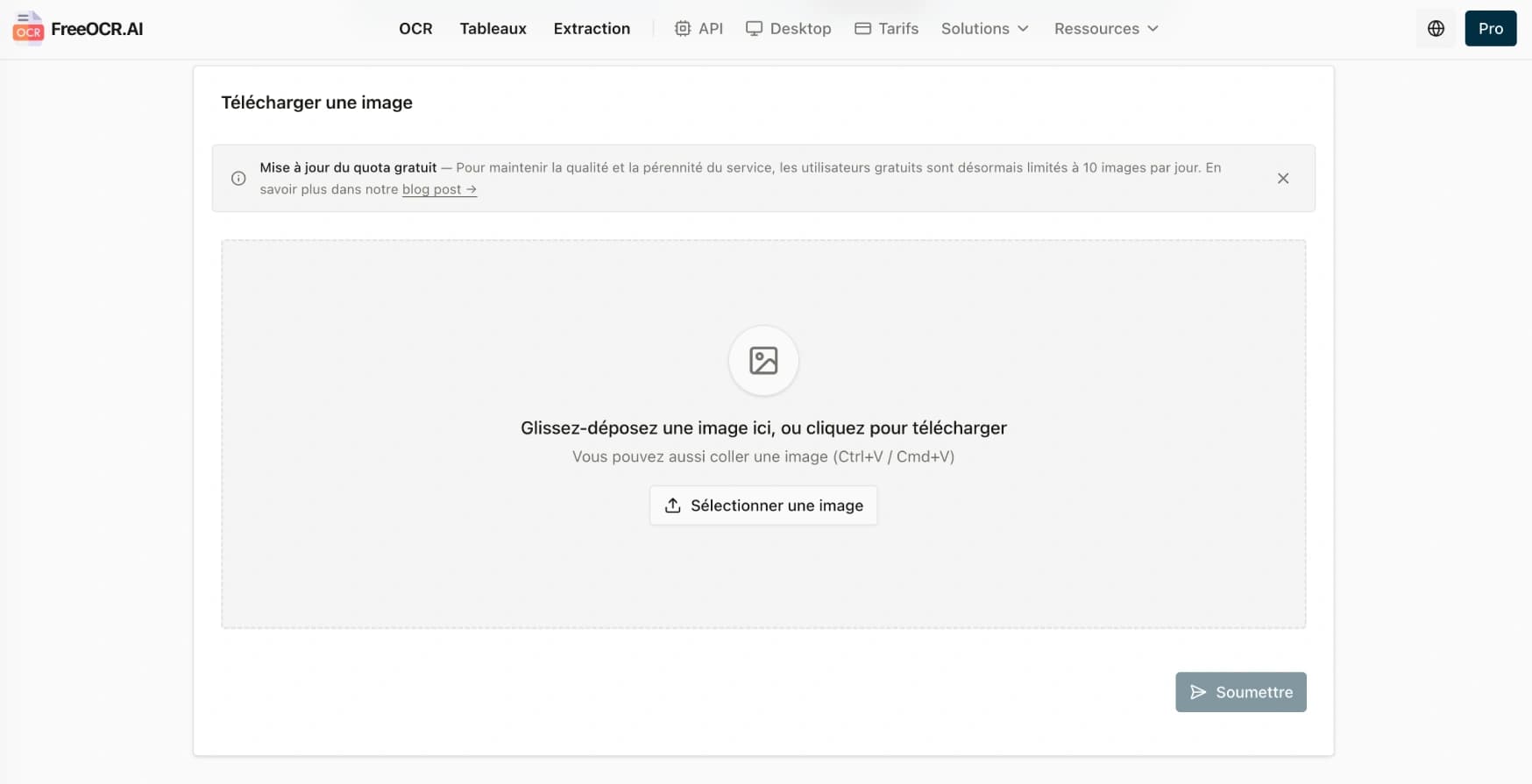
FreeOCR.AI extracts editable text from photos, scans, and screenshots using AI-powered OCR, recognizing printed text, clear handwriting, tables, formulas, and complex layouts across more than 100 languages. Beyond basic text extraction, it can convert mathematical formulas into LaTeX or editable text, and — notably — turn complex document tables, including nested or borderless ones, into structured Excel or JSON output rather than a flat wall of unformatted text.
For architecture, construction, and real estate businesses that regularly deal with scanned plans, printed contracts, invoices, or supplier documents, this matters because manually retyping information out of a scanned or photographed document is slow and error-prone — OCR that preserves table structure and handles complex layouts removes most of that manual transcription work.
This review evaluates FreeOCR.AI based on its recognition accuracy, structured data output, and practical fit for document-heavy business workflows heading into 2026.
Key Features
Multi-Language Text & Handwriting Recognition
FreeOCR.AI recognizes printed text and clear handwriting across more than 100 languages, going beyond simple typed-text extraction to handle notes and documents that aren't purely machine-printed.
Intelligent Table & Formula Recognition
The platform maintains table structure during extraction — including nested or borderless tables — and can convert complex mathematical formulas and equations into LaTeX or editable text, handling document types that trip up simpler OCR tools.
Structured Data Output
Rather than returning plain, unformatted text, FreeOCR.AI can output extracted tables as structured Excel or JSON data, with results provided in a clean format that lets users copy individual fields or download the full dataset as a CSV.
Developer API
An officially released API on RapidAPI gives developers programmatic access to FreeOCR.AI's OCR capabilities, with layout preservation and table detection built in, letting OCR be integrated directly into internal tools rather than used only through the web app.
Pros & Cons
Pros
- ✅ Recognizes printed text, clear handwriting, tables, formulas, and complex layouts in 100+ languages
- ✅ Intelligent table recognition preserves structure, even for nested or borderless tables
- ✅ Converts document tables directly into structured Excel or JSON output, not just plain text
- ✅ API access on RapidAPI lets developers build OCR directly into internal tools and workflows
Cons
- ❌ 86.5% accuracy on the OmniAI OCR Benchmark means results still need a spot-check on critical documents
- ❌ Handwriting recognition works best on clear writing, not every handwriting style
- ❌ Structured data extraction is most reliable on well-formatted source documents
- ❌ API integration work is needed to build OCR into an existing internal workflow
Who Is It Best For?
FreeOCR.AI is the right tool if you:
- Regularly digitize scanned documents — plans, contracts, invoices, supplier catalogs
- Need extracted tables to stay structured rather than turning into unformatted text
- Want to convert formulas or technical notation into editable, usable text
- Have a developer who can integrate OCR via API into an existing internal tool
FreeOCR.AI is not the right tool if you:
- Need guaranteed, error-free extraction on every document without any manual review
- Work primarily with very poor-quality scans or unusual handwriting styles
- Only need occasional, one-off text extraction where a basic free OCR tool already suffices
Alternatives to Consider
- Wispr Flow — relevant for dictating notes quickly rather than extracting text from documents
- NeuronWriter — relevant for content optimization rather than document data extraction
- goHeather — better for AI legal review of contracts rather than raw text extraction
- fynk — relevant for full contract lifecycle management once terms are already digitized
- DealCheck — relevant for analyzing extracted deal numbers rather than the extraction itself
Final Verdict
FreeOCR.AI earns its place for businesses that regularly need to pull text and structured data out of scanned or photographed documents — the combination of table-structure preservation, formula recognition, and structured Excel/JSON output goes meaningfully beyond basic OCR that just dumps unformatted text.
For genuinely critical documents — contracts, legal filings, financial figures — treat extracted output as a strong first draft and verify key numbers or terms manually rather than trusting OCR output blindly.
Our recommendation: Run one of your most common document types — a scanned invoice or a table-heavy spec sheet — through FreeOCR.AI first to confirm structure preservation meets your needs before relying on it for high-volume document processing.
Key Features
Recognizes printed text, clear handwriting, tables, formulas, and complex layouts in 100+ languages
Intelligent table recognition preserves structure, even for nested or borderless tables
Converts document tables directly into structured Excel or JSON output, not just plain text
API access on RapidAPI lets developers build OCR directly into internal tools and workflows
Best For
Architecture and construction firms digitizing scanned plans, specs, and material lists
Real estate professionals extracting data from scanned contracts and disclosure forms
Furniture businesses converting printed invoices or supplier catalogs into structured data
Teams wanting to turn photographed documents into editable text without manual retyping
Pros & Cons
What We Like
- Recognizes printed text, clear handwriting, tables, formulas, and complex layouts in 100+ languages
- Intelligent table recognition preserves structure, even for nested or borderless tables
- Converts document tables directly into structured Excel or JSON output, not just plain text
- API access on RapidAPI lets developers build OCR directly into internal tools and workflows
What We Don't Like
- 86.5% accuracy on the OmniAI OCR Benchmark means results still need a spot-check on critical documents
- Handwriting recognition works best on clear writing, not every handwriting style
- Structured data extraction is most reliable on well-formatted source documents
- API integration work is needed to build OCR into an existing internal workflow
Top FreeOCR.AI Alternatives
View all alternatives →


FreeOCR.AI vs Top Alternatives
| Tool | Best For | Price | AI Quality | Features | Support | Ease of Use | Rating | |
|---|---|---|---|---|---|---|---|---|
 | Architecture and construction firms digitizing scanned plans, specs, and material lists | Contact for pricing | 8.6/10 | Current | ||||
 | Cross-niche | Contact for pricing | 8.1/10 | Read Review → | ||||
 | Cross-niche | Contact for pricing | 7.8/10 | Read Review → | ||||
 | Cross-niche | Contact for pricing | 7.5/10 | Read Review → | ||||
 | Cross-niche | Contact for pricing | 7.2/10 | Read Review → |
Our FreeOCR.AI Verdict
FreeOCR.AI is best suited for architecture, construction, and real estate businesses that need to pull editable text, tables, or structured data out of scanned plans, invoices, and contracts without retyping everything by hand.
Visit website for full details
FAQ
Related Articles
View all articles →Best AI Productivity Tools for Professionals in 2026
Discover the top AI tools we recommend in AI Productivity Tools.
View Hub →FreeOCR.AI vs Top Alternatives: Full Comparison
Side-by-side breakdown of FreeOCR.AI and its main competitors.
View Comparisons →Hands-on Guides & Workflows
Step-by-step playbooks for getting the most out of tools like FreeOCR.AI.
Browse Guides →Related Tools in AI Productivity Tools
See all the best AI Productivity Tools →
Grok
Grok is xAI's conversational AI assistant best suited for professionals who want real-time access to current information and trends, layered with general-purpose writing and research help.
Read Review →
Klap
Klap is best suited for real estate agents, designers, and content creators who produce long-form video — property tours, walkthroughs, webinars — and want AI to automatically turn them into ready-to-post short-form clips for TikTok, Reels, and YouTube Shorts.
Read Review →
Leavo
Leavo is a modern AI-powered HR leave management platform that replaces spreadsheets and email chains with automated time-off requests, approval workflows, leave balance tracking, and labor law compliance — with a free plan covering teams up to 9 members.
Read Review →
Lovable
Lovable is best suited for real estate, furniture, and design businesses that want to build custom web apps and tools without a developer — describing what they need in plain language and getting a working, deployable application generated by AI.
Read Review →